
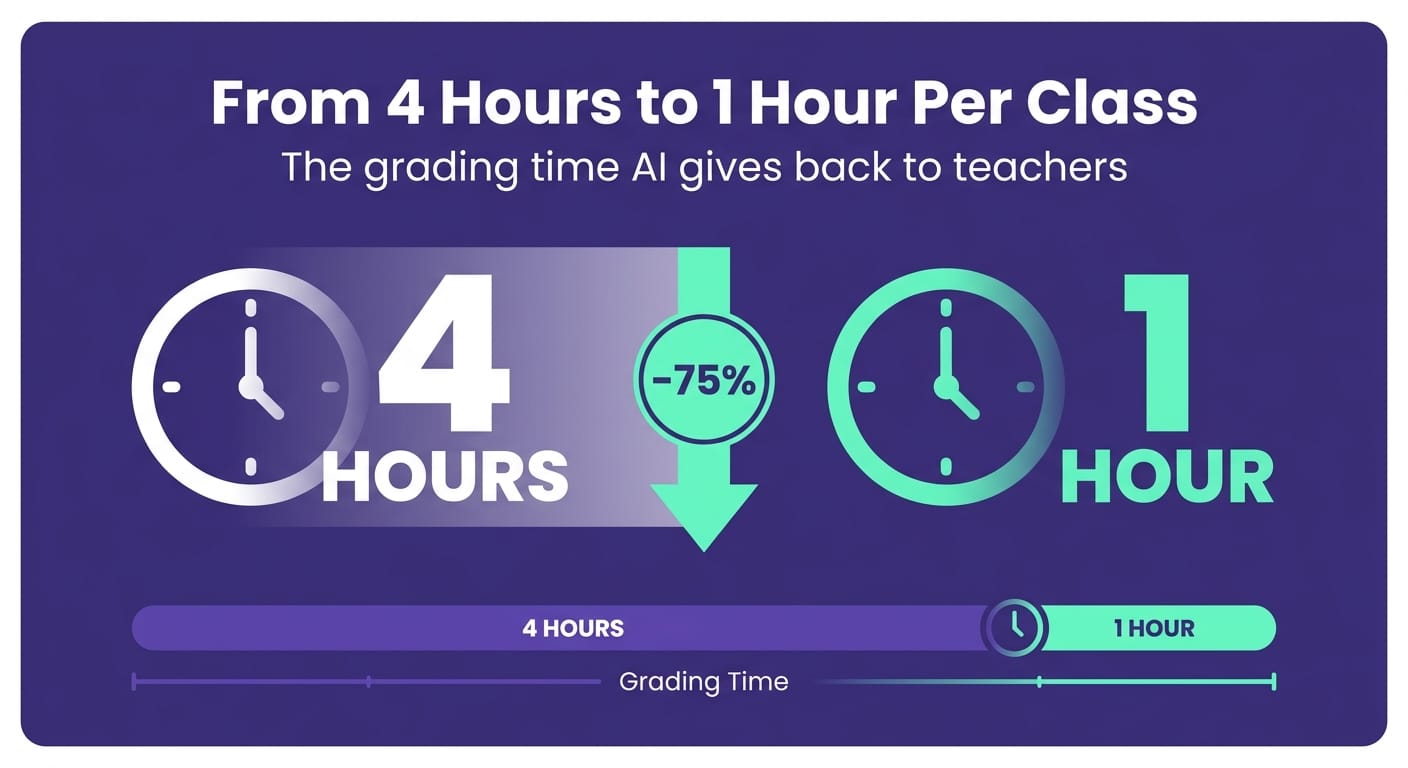
To use AI to grade tests, transcribe or photograph student responses, build a prompt with your answer key and scoring rubric, and ask the AI to evaluate each response with a score justification. This reduces grading a class of 30 students from 4 hours to about 1 hour, while keeping human review as the final step before recording grades.
You know the feeling. Wednesday night, a stack of tests on the kitchen table, and the open-response section from last week still waiting. Grading is the invisible labor of teaching — it doesn't show up in your paycheck, but it quietly consumes your weekends. In 500+ schools validated in Brazil and LATAM, the number one complaint we hear from teachers isn't salary or classroom management: it's grading. A middle school history teacher in Ohio told me she graded tests during her commute because that was the only time she had to herself. The good news: AI already grades with consistent, rubric-aligned criteria, and your role shifts to supervising — not deciphering handwriting until midnight.
How AI Actually Grades Tests (and Where It Falls Short)
AI doesn't "read the test" and magically assign a score. It compares each response against an answer key and a set of criteria you define. The more explicit the criteria, the more reliable the result. For open-response questions, AI identifies whether the student mentioned the expected concepts, assesses argumentative coherence, and flags what was missing.
I'll be upfront about where it falls short — because that matters more than the marketing pitch. AI struggles with ambiguous responses, with answers that deviate from the key but are still correct, and with the nuanced context only you know about your class. The student who writes very little but nails the core idea, or the one who memorized the textbook phrasing without actually understanding the concept — AI won't resolve those cases alone. That's why the right workflow isn't "AI grades everything." It's "AI does the first pass, you review what matters."
In practice, AI handles roughly 70%–80% of responses reliably — the clearly correct and the clearly incorrect answers. The remaining 20%–30%, the borderline cases, are where your trained eye is essential. It's precisely in those moments that human judgment is irreplaceable. Handing the final grade entirely to the machine means outsourcing the exact part of assessment where a teacher's expertise matters most.
How to Apply It: Step-by-Step Workflow With Ready-to-Use Prompts
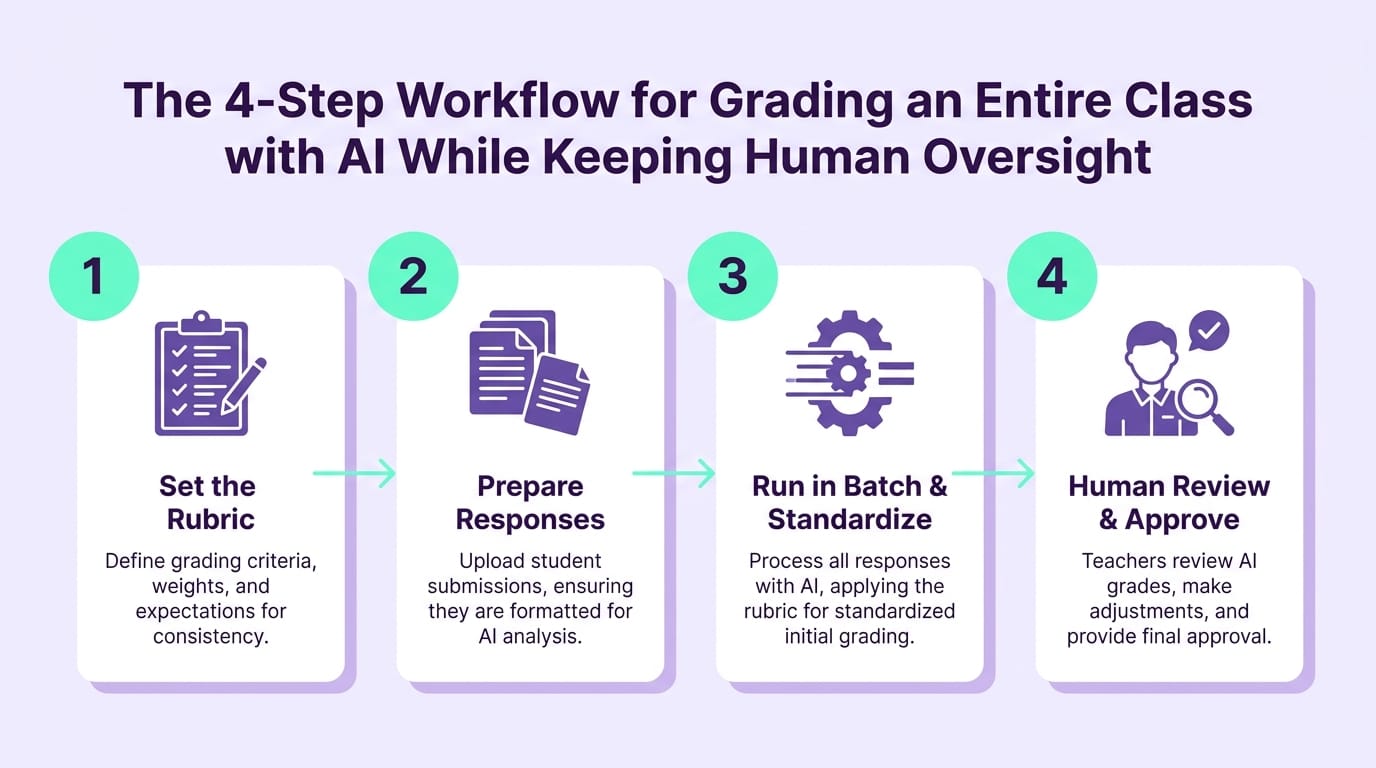
Here's the workflow that works for an entire class, from paper to gradebook. We tested this process with math, ELA, and science teachers at K-12 schools before recommending it — this is field-tested, not theory.
Step 1 — Digitize the responses. Photograph or transcribe open-response answers. Tools with image-reading capability (such as ChatGPT with vision or Gemini) can already interpret photos of legible handwriting. A practical note: very messy handwriting still confuses AI — it's worth spot-checking the transcription before moving on. For assignments submitted digitally through Google Classroom or similar platforms, just copy and paste the text directly.
Step 2 — Build your prompt with the answer key and rubric. Here's a base prompt you can adapt to any subject or grade level:
"You are a [subject] teacher grading a test for [grade level]. Evaluate the response below using these criteria: [list what the ideal response should include] worth [X] points. Assign a score from 0 to [X], justify in one sentence what the student got right and what was missing, and suggest a short feedback note for the student. Student response: [paste response here]."
The difference between a vague prompt and one with explicit criteria is dramatic. When a teacher simply writes "grade this response," AI invents its own criteria and the score becomes unpredictable. When you list exactly what the ideal response should include — aligned to Common Core standards or your district's rubric — the grading becomes consistent and defensible, even when a parent questions the score at conference night.
Step 3 — Run in batch and standardize. Paste several responses at once or process them one at a time. Ask the AI to always use the same justification format — this ensures two students with equivalent responses receive the same score, something that's genuinely hard to maintain when you're grading tired at 11 PM. That consistency is, in practice, a meaningful gain in grading equity that few teachers can sustain manually by the 28th test in a row.
Step 4 — Review the borderline cases. Filter the responses where AI hesitated or where the score seems too harsh or too lenient. These are your 20%–30%. Adjust, then record the final grade.
For grading essays and extended written responses — which involve more complex rubric competencies — check out the AI-assisted essay grading workflow with comparative prompt testing. And if you're still building your prompt toolkit, the ChatGPT for teachers guide with 15 ready-to-use prompts covers everything from lesson creation to formative assessment.
How Gamefik Helps You Get Your Time Back
The math is simple — and painful. An open-response test for a class of 30 students takes an average of 4 hours of focused grading. With the AI workflow above, teachers at partner schools report bringing that down to about 1 hour — and the 3 hours saved go back to lesson planning, intervention groups, family time, or the rest you've actually earned. At a rural school district in the Midwest, a department chair told me the faculty workroom stopped turning into a weekend grading marathon after the team adopted this workflow.
At Gamefik, AI doesn't operate in isolation. It connects with the broader ecosystem of gamification in education: the generated feedback becomes a targeted review mission for the student, turning the mistake into a recovery opportunity instead of just a cold score on a report card. That's the part that changes the game — grading fast isn't enough on its own; feedback needs to reach students while they still remember the test. With 500+ school partners and 100,000+ students using this model, we see 90% average improvement in engagement (Gamefik internal research, 2024) when feedback arrives quickly and with clarity.
And adoption isn't a six-month implementation project. Full setup takes less than one week — you integrate artificial intelligence for teachers into your existing workflow and immediately start recovering the 2 hours per week that manual grading typically drains from each teacher. For educators looking to go beyond grading, see how AI creates classroom activities in minutes and how all of this supports a fully gamified school experience from end to end.
FAQ
Can AI grade tests entirely on its own without teacher review? Not recommended. AI speeds up grading and standardizes criteria, but the final score needs human validation. Use AI for the first pass and review the borderline cases — typically 20%–30% of responses. For assessments that count toward report card grades or state reporting requirements, that review is not optional.
Which types of tests work best with AI grading? Open-response, short-answer, and essay questions save the most time because they require interpretive reading. Multiple-choice questions are already fast to grade manually, but AI helps tabulate results and analyze error patterns across the class — useful for identifying, for example, that half the class missed the same concept and needs a reteach before the next unit.
How much time does AI save when grading a class? For open-response tests from a class of 30 students, teachers report grading time dropping from about 4 hours to 1 hour. That's roughly 2 hours per week recovered when assessments are frequent — time that goes back to lesson planning, intervention, or simply rest.
Start Getting Your Evenings Back
Grading tests doesn't have to be the reason you give up your weekend anymore. With the right workflow and the prompts above, the first class will show you the difference. See how Gamefik connects AI, actionable feedback, and student engagement strategies in one place — visit gamefik.com and explore the method already running in 500+ schools across Brazil and LATAM.