
AI lesson planning generates learning objectives, instructional sequences, and student activities from a structured prompt. Teachers using a base prompt recover around 2 hours per week; those who build a saved prompt library by subject save up to 5 hours. Every AI-generated plan requires human review to ensure real alignment with Common Core, state standards, the UK National Curriculum, or Canadian provincial frameworks.
Have you ever sat down on a Sunday evening to plan the week and realized you spent more time formatting tables than actually thinking about instruction? That's exactly where AI fits in — and exactly where it misleads teachers who trust it too much. Across 500+ partner schools validated in Brazil and LATAM, I've seen teachers save real hours and others who nearly abandoned the tool after accepting a full AI-generated plan without reviewing it. This article walks you through the real workflow, the prompts I use, and — most importantly — where AI-generated plans typically break down before they reach your classroom.
What Does AI Do Better Than a Teacher in Lesson Planning?
Let me be direct: AI is excellent at drafting and terrible at pedagogical judgment.
It beats you on structural speed. In seconds, it builds the scaffolding of a lesson plan — objective, warm-up, development, activity, closure — something that would take you twenty minutes to type out. It's also strong at generating variations: ask for three versions of the same lesson for different readiness levels and you get all three immediately.
What it doesn't do is decide what matters. AI doesn't know the student in your third period who still isn't reading at grade level, doesn't know that your afternoon class loses focus right after lunch, and has no idea which concept was fragile on the last district assessment. In practice, that context is yours — and it's precisely what separates a generic plan from a plan that actually works. A 9th-grade Math teacher in a rural district in Ohio told me once that the AI-generated plan "looked right but felt like it was built for a class she had never actually taught" — a perfect summary of the problem.
So the most honest division of labor is: AI builds the skeleton, you make the decisions. Teachers who reverse that order — accepting the full plan without review — end up delivering instruction aimed at an average student who doesn't exist in any real classroom.
How to Use ChatGPT to Build a Lesson Plan Step by Step
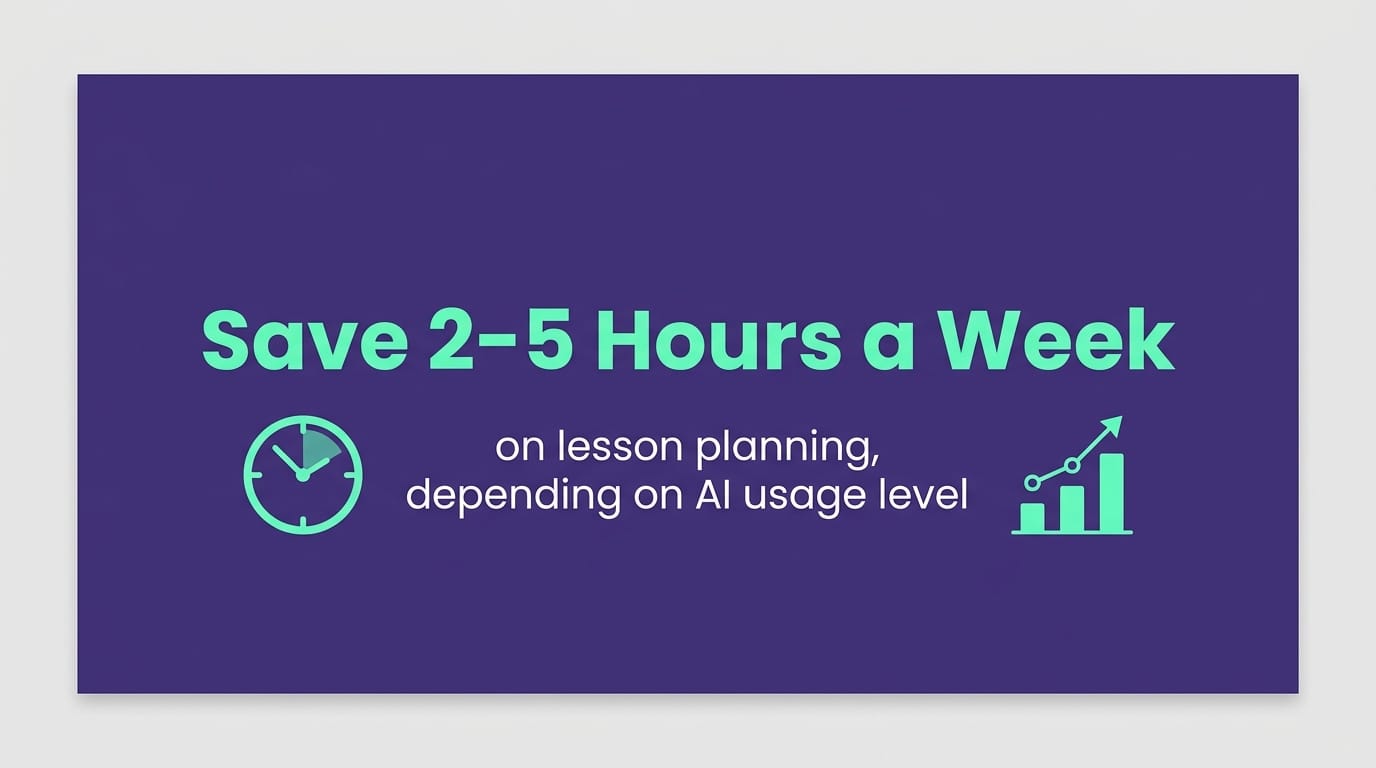
The time savings depend entirely on how you organize your workflow. We've tracked two distinct realities among teachers using artificial intelligence for teachers: those who use just a base prompt recover around 2 hours per week; those who build a saved prompt library by subject and reuse structures across class periods save up to 5 hours. The difference isn't magic — it's reuse. In our 2024 internal research, this was the most consistent pattern we found: the real savings don't come from the first prompt, they come from the second month.
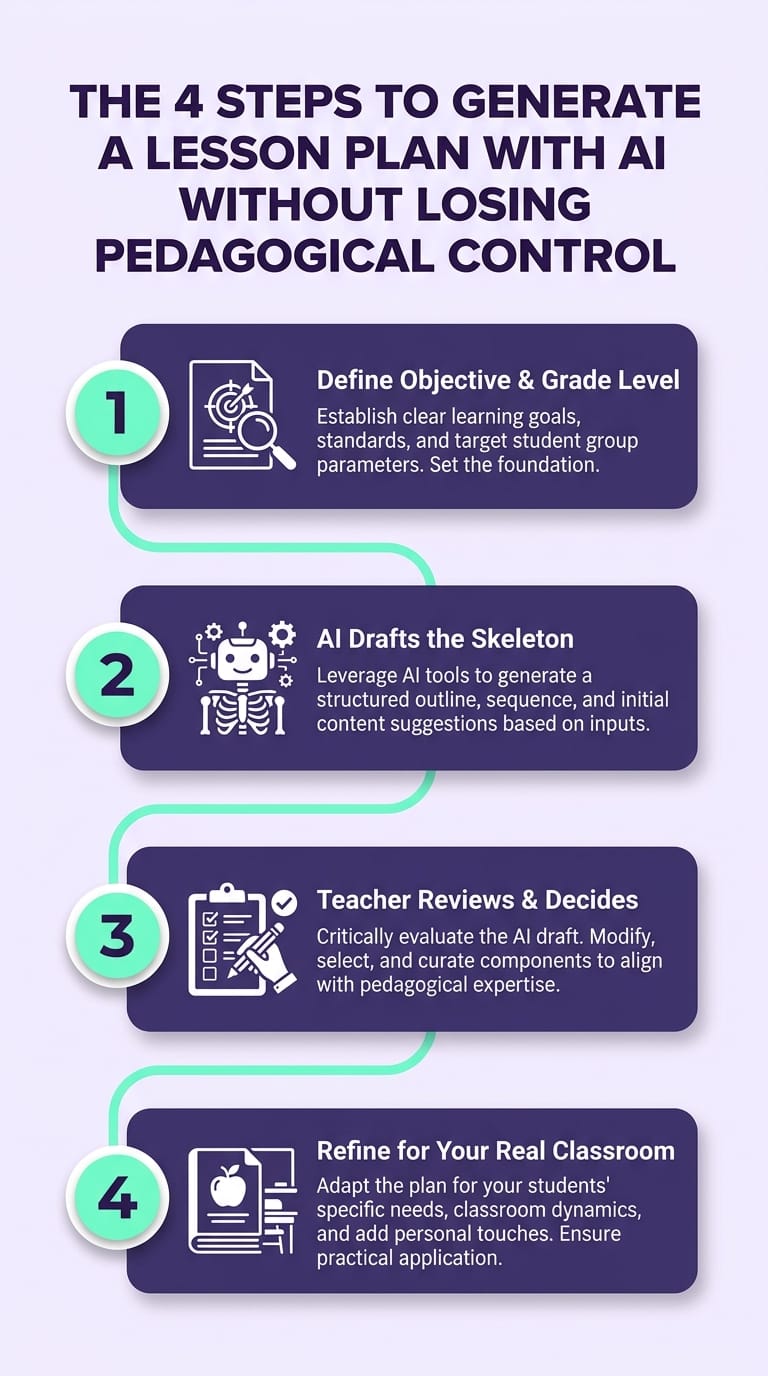
Follow this sequence:
Step 1 — Give context before you request the plan. Don't write "create a lesson plan on fractions." Write: "I teach 6th-grade Math in a Title I district. Class of 28 students, roughly 8 struggling with basic number sense. 50-minute period. Goal: introduce fraction division using visual models. Common Core standard: 6.NS.A.1." Weak context produces weak plans — every time. In the schools where we've supported AI adoption, this was the turning point: teachers who described their class in three lines received usable plans on the first try; those who asked for something generic had to redo everything.
Step 2 — Ask for the structure, not the finished lesson. Request a learning objective, a block-by-block time sequence, one core activity, and one assessment criterion. Four elements. This keeps the output concise and easy to review.
Step 3 — Run the diagnostic prompt (the step almost nobody takes). Before accepting anything, paste the plan back in and ask: "Identify any vague learning objectives, activities without difficulty scaffolding, and any superficial alignment to Common Core standards in this plan. Suggest specific corrections." I'll say more about this in the next section.
Step 4 — Save the prompt that worked. This is where the 5-hour savings come from. Keep the prompts that produced strong plans, organized by subject and grade level. Next week, you swap out the topic and the context — you don't start from scratch. A curriculum coordinator at a bilingual charter school in New York built a shared Google Drive folder of prompts with her department by grade level — within a month, new teachers were walking in with a team-tested skeleton already in place.
For exercises and assessments within the plan, it's worth pairing this workflow with a dedicated process for AI-generated differentiated activities, which goes deeper on building scaffolded task sets. The same logic applies: structured input, structured output, human review.
Where AI Fails in Lesson Planning — and How to Fix It
This is the part that articles only selling the promise never tell you. AI fails in predictable ways, and knowing the three most common errors changes your results. Across 500+ schools validated in Brazil and LATAM, we found these three appear in nearly every plan generated without review.
Failure 1 — Vague learning objectives. AI loves writing "students will understand fractions." Understand how? At what level? A useful objective is observable and assessable: "students will solve real-world problems involving fraction division using visual models, showing each step of the process." If the verb can't be evaluated, the objective doesn't work.
Failure 2 — Activities without difficulty scaffolding. AI routinely generates one activity at a single level for the whole class. Your real classroom has the 8 students you mentioned in Step 1. Be explicit: "generate this activity in three tiers — support, on-grade, and extension — keeping the same core concept."
Failure 3 — Superficial standards alignment. AI will cite whatever Common Core or state standard code you provide, but it rarely checks whether that code matches the correct grade level and learning progression. It fits the activity to the code — not the other way around. Always verify against the official Common Core documentation, your state's curriculum framework, or — for UK and Canadian educators — your national or provincial standards documentation. We've seen 6th-grade plans referencing 7th-grade standards with no flag from the tool.
The diagnostic prompt from Step 3 catches all three at once. But I'll repeat the key point: AI can flag its own errors when prompted, and the final judgment is still yours. If you can't recognize a well-written learning objective, no prompt fixes that — which is why the tool works as an assistant, not a replacement. It's also worth being honest that in schools where teachers didn't yet have a strong planning foundation, AI increased anxiety before it improved outcomes. The prerequisite is clear instructional intent. Artificial intelligence for teachers works best in the hands of those who already know what good instruction looks like.
How Gamefik Supports AI-Powered Lesson Planning
At Gamefik, AI-assisted planning isn't a standalone chatbot — it's a method built on more than 10 years of work in gamification in education and tested across a real school network.
We work with more than 500 partner schools validated across Brazil and LATAM, from small municipal districts to large independent institutions, serving more than 100,000 students who experience the impact of better-planned instruction. In those schools, we've measured that 90% of students show improved engagement when the lesson plan integrates game mechanics into the instructional sequence — because teachers stop spending time on template formatting and invest it in what keeps the class genuinely involved. On average, each teacher recovers 2 hours per week on planning alone, time that was previously lost to diagramming tables and reformatting documents.
Beyond the prompt, what we deliver: a library of instructional structures already aligned to grade-level progressions, so you're not depending on AI to get the standards right on its own. Implementation takes less than 1 week and connects the planning workflow to the student engagement strategies that sustain a truly gamified school. Being transparent: the method works best when the school dedicates at least one PLC session to adapting the prompts to its specific context — schools that simply turn the tool on and walk away don't see the same results. The time AI gives back is yours to reinvest in looking at your real students.
FAQ
Does AI actually align lesson plans to Common Core or state standards? Partially. AI cites whatever standard codes you provide, but aligns superficially — it fits the activity to the code without verifying the grade-level progression. Whether you work with Common Core, the UK National Curriculum, or Canadian provincial frameworks, checking that the correct standard is applied to the right grade remains your responsibility.
How much time does AI save on lesson planning? Around 2 hours per week using a base prompt for one plan at a time. Savings increase to up to 5 hours when you maintain a saved prompt library by subject and reuse structures across class periods.
How do I know if an AI-generated lesson plan has real instructional quality? Run a diagnostic prompt asking AI to flag vague learning objectives, activities without difficulty scaffolding, and weak standards alignment in the plan itself. Still verify independently that each activity has an observable objective and a clear assessment criterion.
Start This Sunday
You don't need to redesign your entire planning process. Take one lesson from next week, apply the four steps, and run the diagnostic prompt before you accept anything. You'll feel the difference in the very first plan. When you're ready to turn this into a school-wide method — with a prompt library, standards alignment, and integrated gamification — explore what Gamefik does at gamefik.com. The time you get back is yours to spend with the people who matter most: your students.