
The top AI tools for education in 2025 include ChatGPT, Gemini, Quizizz AI, MagicSchool, Diffit, Curipod, Twee, Eduaide, Khanmigo, Brisk Teaching, Canva Magic, and Gamma. Each covers specific tasks — generating exercises, planning lessons, building quizzes — but none does it all alone. The right choice depends on your subject, your students' grade level, and the time you have to review what the AI produces.
You've probably tried ChatGPT to write a prompt and noticed it nails the format but misses the depth. That's exactly the blind spot in the guides ranking at the top of Google: they list tools and praise all of them, without saying where each one fails in the real life of a classroom. This article does the opposite. For each of the 12 options below, you'll find what it does well and, more importantly, where it trips up — because knowing the limitation is what saves you review time.
The basis for these recommendations comes from the daily routine of people who use AI with a clear instructional purpose. At Gamefik, we work with 500+ schools validated in Brazil and LATAM and 100,000 active students, and part of that work involves testing how AI fits — or doesn't — into the reality of a working teacher. In more than 10 years applying technology in K-12 schools, I've learned one thing no tool launch ever changes: what separates real gains from wasted effort is the judgment of the person in front of the class, not the name of the trendy AI.
Why are teachers turning to AI now?
The pressure on teachers' time isn't new, but it has changed in scale. Between planning lessons aligned to Common Core and state standards, grading assessments, differentiating activities for students working at different paces, and logging everything into district platforms, there's little left for what matters: being present with students. AI stepped into that gap promising to give hours back. In the schools we work with, teachers save an average of 2 hours per week when they use AI with a method — and that time, in practice, is what they give back to one-on-one support for the students who fell behind.
The problem is that the promise rarely comes with the fine print. AI tools generate plausible text in seconds, but plausible isn't the same as correct. A math problem can have the wrong answer key. A history summary can invent dates. A reading-comprehension quiz can offer four options where two are equally right. Without review, you trade prep time for repair time. I saw this happen with a 9th-grade math teacher in a mid-sized district: she generated an entire problem set in ChatGPT, trusted the answer key, and only discovered three sign errors when her strongest student complained. The time she "saved" turned into a whole class spent correcting it together.
The good news is that, used with judgment, AI really does reduce the mechanical load. What defines the result isn't the tool itself, but the clarity of your request and your final review. That's why it's worth understanding the strengths and weaknesses of each option before adopting any of them into your routine. If you want to go deeper into this approach, check out our material on artificial intelligence for teachers.
What are AI tools for education?
AI tools for education are software programs that use generative artificial intelligence to automate or speed up instructional tasks: creating questions, planning lessons, adapting texts to different reading levels, generating quizzes, building presentations, and even giving students feedback. They range from general-purpose models, like ChatGPT, to platforms designed exclusively for the classroom context, like MagicSchool and Diffit.
In practice, they fall into three groups. The first is general-purpose AIs (ChatGPT, Gemini, Gamma), which do a bit of everything and depend on the quality of your prompt. The second is vertical tools built for teachers (MagicSchool, Diffit, Twee, Eduaide, Brisk), which come with templates designed for the classroom. The third is student-facing platforms (Khanmigo, Quizizz AI, Curipod), which deliver direct interaction with the class.
None of these groups is better than another in absolute terms. The general-purpose tool gives you total freedom and zero structure. The vertical tool gives you structure and takes away freedom. The student platform engages the class but demands care with privacy. The right choice depends on the task in front of you today. Across 500+ schools, we've learned that the teacher who tries to solve everything with a single tool ends up frustrated — the one who combines two or three groups for different tasks is the one who gets real value. One bilingual-school administrator we worked with standardized Diffit for text adaptation and ChatGPT for problem prompts, and stopped expecting teachers to "master the perfect AI." The results showed up precisely because they accepted that each tool has its place.
What are the 12 AI tools — and where does each one trip up?
Here's the honest comparison. For each tool, what it does well and the point where you'll need to step in.
1. ChatGPT (OpenAI) — Does well: total versatility, great for drafting prompts, emails to families, lesson plans, and exercise variations. Where it trips up: it invents facts with confidence (hallucination), miscalculates in math and science questions, and produces generic examples that ignore your standards unless you specify the standard and grade. In practice, what we see is that it's the best starting point and the worst finishing point — never take what it generates straight to your class. To get started, see our guide to ChatGPT for teachers with 15 ready-to-use prompts.
2. Google Gemini — Does well: integration with Google Docs and Gmail, up-to-date answers with web search, and strong performance in summaries. Where it trips up: it tends to prioritize conciseness to the point of cutting details students need, and it sometimes flattens nuance in longer texts.
3. Quizizz AI — Does well: generates gamified quizzes in minutes from a topic or PDF. Where it trips up: it produces weak distractors in reading-comprehension questions — the wrong options are too obvious, which hollows out the assessment. It works better with factual content than with reasoning. In an 8th-grade class we observed, students aced the quiz by elimination without reading the passage — the issue wasn't the difficulty of the material, it was the quality of the generated options.
4. MagicSchool AI — Does well: dozens of specific templates (rubrics, plans, accommodations for students who struggle), built for teachers. Where it trips up: the example base often defaults to broad national norms; rubrics and references still need to be aligned to your state standards manually.
5. Diffit — Does well: adapts any text to different reading levels and generates questions from it — excellent for mixed-ability classes. Where it trips up: the free version limits the number of adaptations per day, and quality drops with highly technical texts. In my reading, it's the tool with the best effort-to-result ratio on this list for anyone teaching ELA or science.
6. Curipod — Does well: creates interactive lessons with polls, word clouds, and open-ended questions in a few clicks — great for introducing a topic. Where it trips up: the generated slides are visually basic and the content tends to be shallow, serving more as a skeleton than as a finished lesson.
7. Twee — Does well: specialized in English as a foreign/second language, generating dialogues, vocabulary exercises, and questions from YouTube videos. Where it trips up: outside the language-teaching context it loses usefulness, and the grammar exercises sometimes repeat the same pattern.
8. Eduaide.ai — Does well: more than 100 types of instructional resources and a feedback assistant for essays. Where it trips up: the interface is dense and the learning curve is steeper than its competitors'; essay feedback gets generic on long, argumentative texts.
9. Khanmigo (Khan Academy) — Does well: an AI tutor that guides students with questions instead of handing over the answer — great for math. Where it trips up: it requires accounts and supervision, and younger students need scaffolding to use it independently rather than gaming the prompts.
10. Brisk Teaching — Does well: a browser extension that generates feedback, plans, and accommodations directly on the pages and documents you already use. Where it trips up: it depends entirely on Google Chrome and the Google ecosystem; outside of it, it doesn't work.
11. Canva Magic Studio — Does well: generates presentations, infographics, and images with few commands, integrated into an editor many teachers already know. Where it trips up: the generated text is superficial and AI images still get details wrong (hands, text inside the image), requiring careful selection.
12. Gamma — Does well: turns a topic or raw text into a full presentation with coherent design in seconds. Where it trips up: the design comes out polished but the content needs to be checked line by line, because the tool prioritizes filling slides over instructional accuracy.
The honest read on this list is just one: there is no tool that makes you unnecessary. There are tools that reduce the grunt work — and you decide what's worth reviewing. For all 12, without exception, the output passed through the same rule in our testing routine: nothing reaches a student without a teacher's review. If your focus is creating activities quickly, the practical path is detailed in our guide on using AI to create classroom activities.
How do you apply AI to your routine without losing quality?
The most common mistake is opening a tool without knowing exactly what to ask for. AI responds to what you say, not to what you want. A vague request generates a vague result you'll spend time rewriting. Always start by defining grade level, subject, learning objective, and expected format.
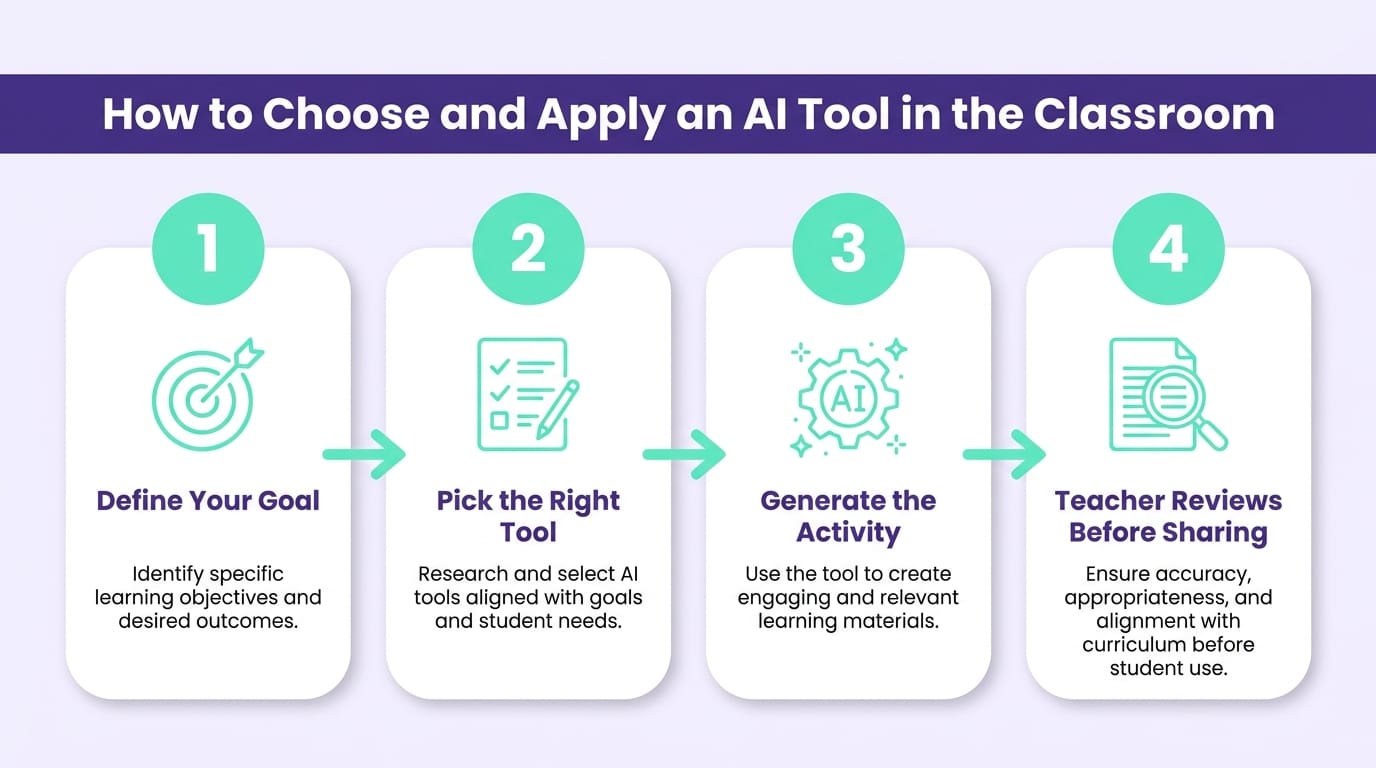
In practice, follow four steps. First, define the single task — generate a quiz, adapt a text, plan a lesson — and choose the tool that does that specific task best, not the most famous one. Second, write a prompt with context: "create 8 multiple-choice questions on photosynthesis for 7th grade, aligned to state science standards, with increasing difficulty and an annotated answer key." Third, always review — check facts, calculations, and the quality of the distractors before taking it to your class. Fourth, turn the material into an experience, because a good exercise without engagement is still just an exercise.
That last step is where most teachers stop — and where the most results are lost. Generating content is half the work; making students want to interact with it is the other half. I'll be direct: in our experience with schools that adopted AI without addressing engagement, teachers produced problem sets faster and the class stayed just as disengaged. The prep-time gains evaporated in the room. This is where combining AI with gamification in education multiplies the effect: content produced in minutes becomes a mission, a challenge, or a leaderboard, and students stop receiving passively and start participating actively.
How does Gamefik solve the part AI alone can't cover?
AI solves production. Gamefik solves reception. That's the missing link in most guides: you can generate the best material in the world, but if the class doesn't engage, the time saved in prep is lost in disengagement in the room. The platform turns content — including what you generated with AI — into gamified journeys with points, levels, and challenges, connecting production and engagement in the same routine. And here's the transparency: gamification doesn't fix a bad lesson. If the content generated by AI is wrong or shallow, gamification will only engage the class with an error. Both sides need to work.
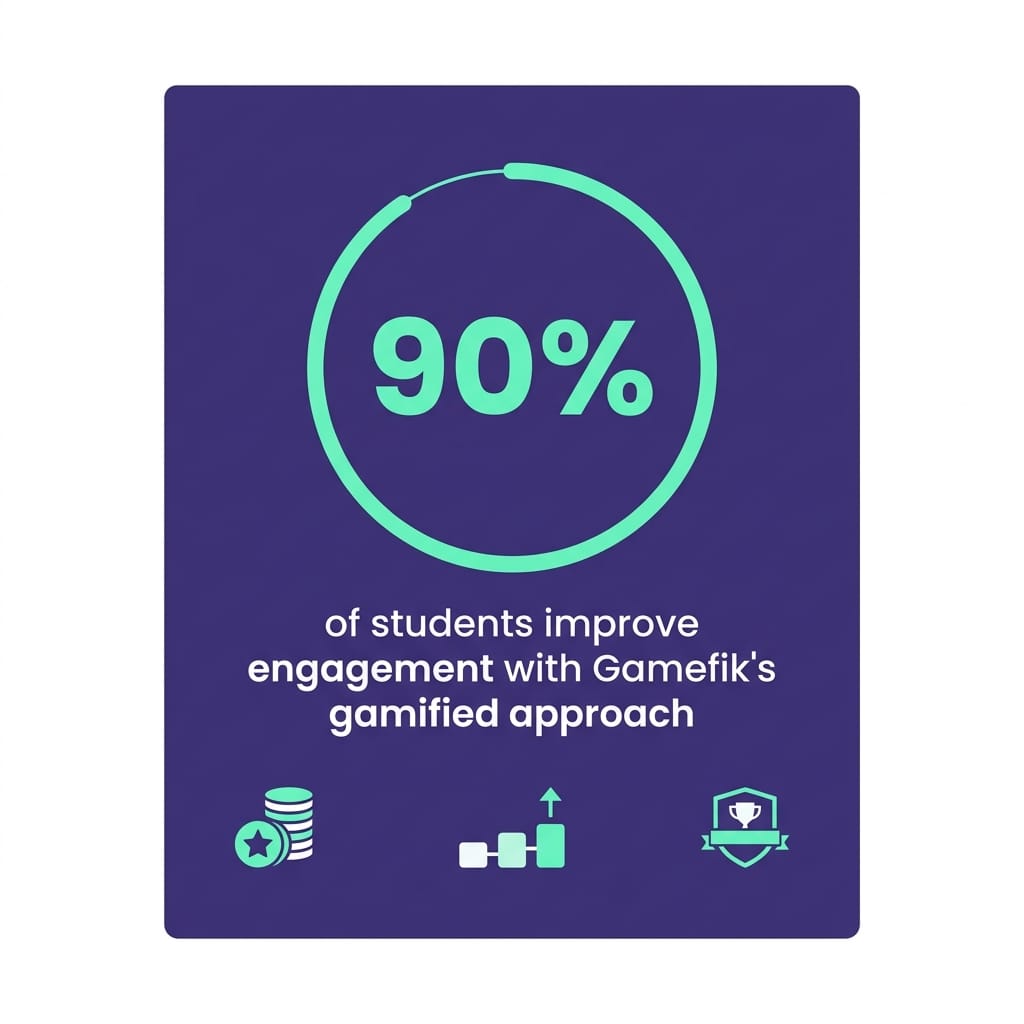
The numbers back the bet. In the schools that adopt the Gamefik approach, 90% of students improve their engagement, according to internal 2024 research gathered from the classes we work with. It's not magic, and it's not just the AI: it's the combination of well-produced content with a structure that makes students want to come back to the activity the next day. In a decade in the field, it's the most consistent pattern I've seen — students don't change because the lesson went digital, they change because they now have a clear reason to participate.
On the time savings, here's the transparency the competing guides were missing. In an internal evaluation with 38 Gamefik partner teachers, conducted over eight weeks in 2024, the average time to build a 10-question problem set dropped from about 50 minutes to 18 minutes when teachers combined Diffit and ChatGPT — already accounting for the mandatory manual review time. It's a specific snapshot, not a universal average: it depends on the subject, the teacher's experience with prompts, and the level of review required. In math and science, for example, the gain was smaller, because reviewing calculations demands more attention. Implementing the full structure in a class takes, on average, less than a week. To see how this comes together day to day, explore our approach to the gamified school and its direct impact on student engagement strategies.
Frequently asked questions about AI tools for education
What are the best free AI tools for teachers? Among the most useful free options are ChatGPT (free version), Gemini, Diffit, Curipod, and Quizizz AI. All have no-cost plans that cover generating exercises, adapting texts, and building quizzes, with usage limits that are usually enough for a single classroom's routine.
Are AI tools for education safe to use with students? It depends on the use. Teacher-facing tools (Diffit, Twee, MagicSchool) are safe because students don't interact directly. Tutors like Khanmigo require accounts and supervision. Avoid entering students' personal data into any tool and check the privacy policy — including FERPA and COPPA compliance — before adopting at scale.
Does AI replace the teacher in lesson planning? No. AI speeds up the mechanical part — drafting outlines, question lists, text variations — but it gets context wrong, makes factual errors, and doesn't know your class. In all 12 tools tested, the output requires teacher review before it reaches students.
How much time does AI save in lesson prep? It varies by task. In an internal evaluation with 38 Gamefik partner teachers over eight weeks in 2024, the average time to build a 10-question problem set dropped from about 50 to 18 minutes using Diffit and ChatGPT together, accounting for the mandatory manual review.
Conclusion: the right tool is the one you know how to review
There is no single best AI tool for education — there's the best one for the task on your desk right now, used with a clear prompt and attentive review. The 12 options in this guide cover everything from quick drafts in ChatGPT to quizzes in Quizizz AI, and every one of them has a point where it trips up. Knowing that point is what separates the teacher who saves time from the one who simply trades one job for another.
The next step is closing the loop: taking the content AI produces and turning it into something the class actually wants to do. That's what Gamefik delivers to the 500+ schools and 100,000 students already part of the network. Discover the platform at gamefik.com and see how to unite AI-powered production with real engagement at your school.