
ChatGPT for teachers is an AI tool that helps with lesson planning, activity creation, grading and personalized feedback. The free version already generates standards-aligned lesson plans, builds grade-level questions and differentiates activities for mixed-ability classes — all through specific prompts teachers can copy and use right away.
Teachers juggle 14 tasks a day — and have time for none of them
A 2022 RAND Corporation survey found that U.S. teachers work an average of 53 hours per week — well beyond contracted hours — and report higher rates of frequent job-related stress than the general working population. Lesson plans, attendance records, differentiated activities for inclusion, individual progress reports, family communication and — when there's any energy left — the actual teaching. The problem isn't a lack of willingness. It's a lack of time.
Here's a concrete example. A 9th-grade math teacher at a public middle school outside Columbus, Ohio, told me she spent every Sunday afternoon building three different versions of the same activity — one for the on-level class, a scaffolded version for students working below grade level, and an extended version for those who advanced quickly. That was four hours a week just for that. When she learned to use ChatGPT with well-structured prompts, that time dropped to 40 minutes. Not because the AI did the work for her, but because it generated the drafts she only needed to adjust.
Have you ever tried to build a diagnostic assessment for 35 students with different reading levels on a Sunday night? Have you rewritten the same lesson plan three times because your instructional coach asked for explicit alignment to state standards? This scenario isn't the exception. It's the daily reality of teaching in the U.S., the U.K. and Canada in 2025. And this is exactly where AI tools for teachers stop being a tech curiosity and become an instrument of professional survival.
At Gamefik, with 500+ schools validated in Brazil and LATAM, we see the same pattern repeat itself: teachers save an average of 2 hours per week on operational tasks when they adopt generative AI with a method — not as a toy, but as a tool integrated into their routine. ChatGPT for teachers doesn't replace your pedagogical expertise. It works as an assistant that handles operational tasks — drafting prompts, suggesting rubrics, adapting texts for different age groups — while you invest your energy where it really matters: in your relationship with each student.
What ChatGPT for teachers is and how it works in practice
ChatGPT is a language model developed by OpenAI that generates text from written instructions (called "prompts"). For teachers, it works as a pedagogical writing assistant: you describe what you need — a lesson plan on fractions for 5th grade, three open-response questions about the French Revolution for high school, constructive feedback for a student performing below average in writing — and it generates a draft in seconds.
Since 2024, OpenAI has offered ChatGPT Edu, an institutional version built for schools and universities with additional privacy protections and access to the GPT-4o model. But the truth is the free version already solves 80% of a K-12 teacher's needs. The Plus version ($20/month) gives access to more advanced models, image generation and file uploads — useful for anyone who wants to upload a test in PDF and ask for automated grading.
One point no competitor usually states clearly: the free version of ChatGPT may not access the live internet, doesn't know your students and can produce incorrect information (called "hallucinations"). It's a starting point, not a finish line. Everything it generates needs your critical eye before it reaches a student.
In practice, what we see across the schools we work with is that the teacher who treats ChatGPT as an oracle gets frustrated within two weeks. The teacher who treats it as an intern — someone who delivers a first draft to be revised — is still using it months later, and more efficiently each time. That mindset makes all the difference, and it's not something generic tutorials tend to mention.
How to create your account and get started in under 10 minutes
The first step is to go to chat.openai.com and create an account with an email or Google login. The process takes less than 2 minutes. Once that's done, you can start typing prompts into the text box.
For instructional use, I recommend three initial settings that make a difference:
- Set custom instructions: click your profile → "Customize ChatGPT" → fill in "What would you like ChatGPT to know about you?" with something like: "I'm a Math teacher for grades 6–8 at a public school in the U.S. I need all suggestions aligned to Common Core and my state standards, using accessible language for 11- to 14-year-olds." This saves you from repeating context with every prompt.
- Create separate conversation threads by function: one thread for "Lesson Plans," another for "Assessments," another for "Family Communication." This helps you find what you've already generated without scrolling through 200 messages in a single thread.
- Choose the right model: in the free version, GPT-4o mini is already enough for text generation. If you have Plus, use GPT-4o for tasks that demand more precision — like analyzing essays or interpreting performance data.
A tip I picked up watching adoption in real schools: ask a colleague in the same subject to set it up alongside you. An instructional coach at a charter school in Austin did exactly this — he gathered the language teachers for 30 minutes during a PLC meeting, each one set up their custom instructions on the spot, and first-week abandonment of the tool dropped dramatically compared to when he just emailed a tutorial. Shared context accelerates adoption.
On education plans: as of mid-2025, ChatGPT Edu is sold through institutional contracts with districts and school systems. If your school hasn't adopted it yet, the free version combined with good privacy practices (never entering students' real names) already enables safe and productive use.
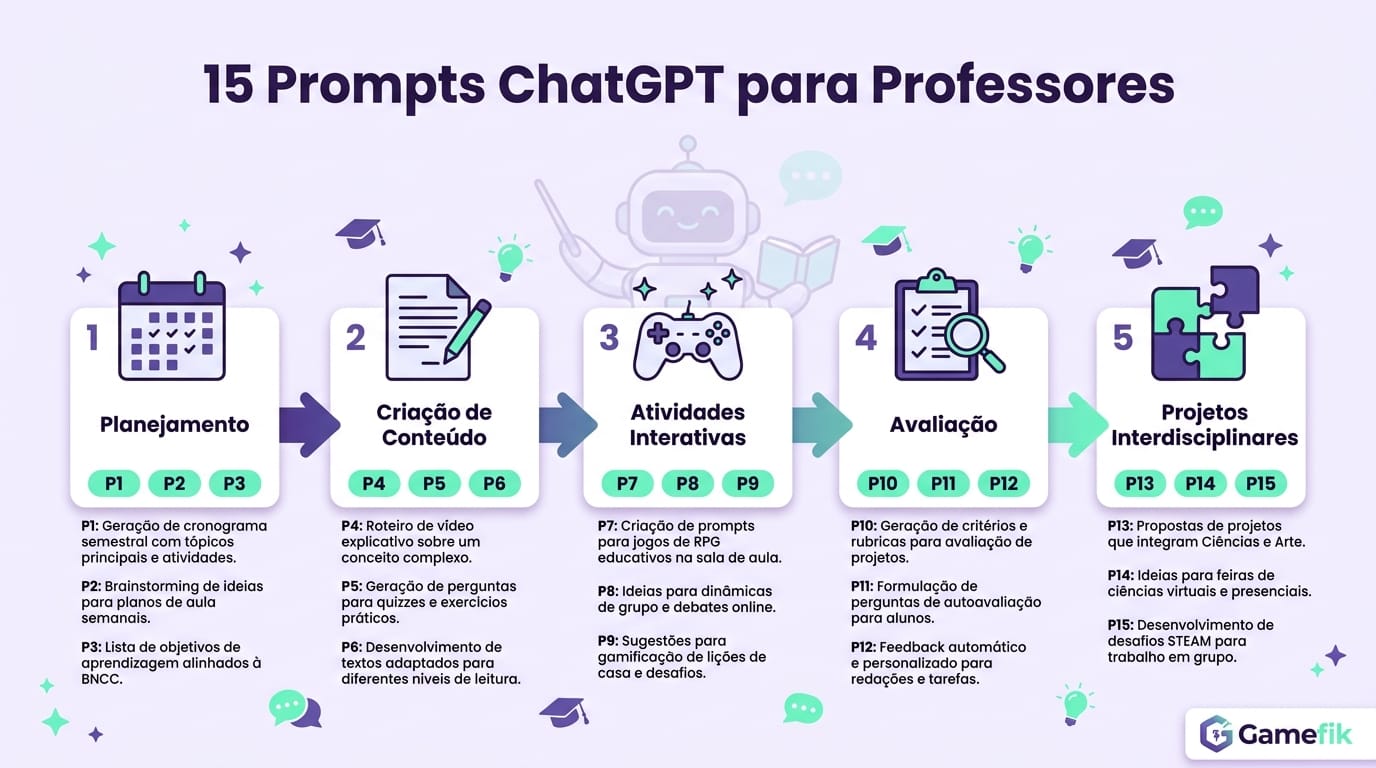
15 ready-to-use prompts organized by pedagogical function and subject
Enough theory. Below are 15 prompts I tested throughout 2024 with teachers in partner schools. Each one includes the full structure — just copy, paste, adjust the grade level, and use.
A warning before you start copying: a good prompt is a prompt with context. The more details you provide about the class, the students' level, the lesson duration and the specific objective, the better the result. Vague prompts generate generic responses — and generic material doesn't work for any real classroom. Teachers who took part in our school trainings reported that response quality improves by about 60% when they add at least three context variables to a prompt.
Lesson planning (aligned to standards)
Prompt 1 — Complete lesson plan: "Create a 50-minute lesson plan for 7th grade on the topic of [TOPIC]. Include: a learning objective aligned to standard [STANDARD CODE], an opening activity (5 min), the main segment with a hands-on activity (30 min), a closing with formative assessment (10 min), and the materials needed. Use accessible language for 12-year-olds."
This is the most-used prompt among the teachers we work with. One detail that makes a difference: in the [TOPIC] field, include not just the subject but the angle. Instead of "fractions," write "comparing fractions with different denominators using visual representations." The more specific you are, the less editing you'll do later.
Prompt 2 — Weekly unit sequence: "Build a 5-lesson unit sequence (one per day) for English Language Arts in 9th grade, focused on the personal narrative genre. Align each lesson to at least one Common Core standard. Include one individual writing assignment and one collaborative activity."
Prompt 3 — Adaptation for inclusion: "Adapt the following activity for a student with ADHD who struggles to focus on long tasks: [PASTE THE ACTIVITY]. Keep the same learning objectives, but break it into smaller steps, add visual checkpoints, and reduce text-heavy stimuli."
This prompt deserves its own note. A teacher at a public school in rural Georgia used a variation of it to adapt a Science sequence for three students with different IEPs in the same class. She told me ChatGPT didn't get it right on the first try — the adaptations for the student on the autism spectrum were too superficial. But when she added details to the prompt like "the student responds better to sequential visual instructions and has a strong special interest in animals," the result became usable. The lesson: for inclusion, the generic prompt fails. Your knowledge of that specific student is the ingredient the AI doesn't have.
Creating activities and assessments
Prompt 4 — Questions by difficulty level: "Generate 10 multiple-choice questions about [TOPIC] for 8th-grade Science, with: 4 easy questions (recall), 4 medium questions (application) and 2 hard questions (analysis). Include an answer key with an explanation for each correct choice."
Prompt 5 — Diagnostic assessment: "Create a beginning-of-year Math diagnostic for 6th grade that covers the skills expected by the end of 5th grade under Common Core: operations with whole numbers, basic fractions, measurement, and reading graphs. Use 8 questions — 5 multiple-choice and 3 open-response."
A caution with this prompt: ChatGPT sometimes confuses 5th-grade with 4th-grade skills or mixes standardized-test descriptors (like state assessments) with the actual standards. Always verify the codes. A principal at a private school in Denver told me he found two nonexistent standards in an AI-generated plan — they looked real, had the right format (CCSS.MATH.5...), but simply didn't exist in the official documents. Checking against the standards takes 2 minutes and saves you embarrassment.
Prompt 6 — Assessment rubric: "Build an analytic rubric with 4 criteria and 4 performance levels (beginning, developing, proficient, advanced) to assess oral presentations in high school. The criteria should include: content mastery, presentation organization, use of visual aids, and oral communication."
To create activities even faster, it's worth learning how to use AI to create classroom activities — from exercises to group dynamics — in just a few minutes.
Feedback and differentiation
Prompt 7 — Personalized feedback on essays: "Read the text below, written by a 12th-grade student as an argumentative essay. Give feedback in an encouraging tone, pointing out: 2 strengths, 2 areas to improve with concrete suggestions, and 1 idea for additional evidence or context that could strengthen the argument. [PASTE THE TEXT]"
This is the prompt that most impresses first-time users. An ELA department lead at a school in Chicago tested it with essays from a class of 32 students. ChatGPT generated 32 feedback responses in 45 minutes — work that normally took a full weekend. She edited each one, spending 1 to 3 minutes per piece of feedback. The result: she cut the feedback cycle from 8 hours to 2. But she made a point of stressing that "the AI doesn't notice when a student is writing about something they actually lived through — it treats it as text, not as a personal account." That human filter is not optional.
Prompt 8 — Differentiation by reading level: "Rewrite the following text in 3 versions with different vocabulary complexity: (A) for students with advanced reading fluency, (B) for an intermediate level, and (C) for students still developing reading skills in 4th grade. Keep the same informational content across all versions. [PASTE THE TEXT]"
Prompt 9 — Individual report for families: "Write an individual progress report for the parents/guardians of an 8-year-old student who shows: strong reading performance, difficulty with math problem-solving, and active participation in group activities. Use a warm tone and include 2 suggested at-home activities."
Important: never use the student's real name in the prompt. Replace it with "Student A" or "an 8-year-old student" and add the name only in the final document, outside of ChatGPT.
Prompts by specific subject
Prompt 10 — Math (problem-solving): "Create 5 contextualized proportional-reasoning problems for 7th grade using everyday situations for a teenager (allowance, cooking recipes, sports). Each problem should require at least 2 steps to solve. Include step-by-step solutions."
I tested this prompt with a Math teacher at a public school in Detroit. He added the context "students live in low-income neighborhoods and don't receive a cash allowance — use situations like dividing recipe ingredients or calculating bus travel times." The result was far more relevant to his class. Local context turns a generic prompt into a useful tool.
Prompt 11 — History (primary source analysis): "Suggest a primary-source analysis activity about the abolitionist movement in the U.S. for 8th grade. Include: an excerpt from a real historical document (a letter, newspaper notice, or traveler's account), 4 progressive interpretation questions (from literal reading to historical contextualization), and guidance for the teacher to facilitate discussion."
Extra caution here: ChatGPT can fabricate historical documents that look authentic but never existed. Always verify the cited source. Reliable bases for primary sources include the Library of Congress (loc.gov), the National Archives (archives.gov in the U.S., nationalarchives.gov.uk in the U.K., and bac-lac.gc.ca in Canada).
Prompt 12 — World Languages (communicative activity): "Create a Spanish role-play activity for 9th grade on the theme 'ordering food at a restaurant.' Include: a model dialogue, a vocabulary box with 15 useful expressions, and instructions for students to create their own versions in pairs. Target a novice-mid proficiency level (ACTFL)."
Prompt 13 — Science (hands-on experimentation): "Propose a simple experiment about density that can be done in the classroom with accessible materials (water, oil, honey, small objects). Include: an objective tied to a relevant NGSS performance expectation, a materials list, step-by-step instructions, problematizing questions, and guidance for student notebook recording."
Prompt 14 — Physical Education (theory-practice lesson plan): "Build a 45-minute Physical Education lesson plan for 6th grade focused on cooperative games. The lesson should include: a playful warm-up (5 min), 2 cooperative games with rule explanations (30 min), and a closing circle conversation about teamwork (10 min). Align it to a relevant SHAPE America national standard."
Prompt 15 — Interdisciplinary project: "Propose a 2-week interdisciplinary project for high school involving Biology, Geography and Writing on the theme 'water scarcity in the U.S.' Include: a driving question, an activity timeline by subject, a final product (a short documentary or infographic), and shared assessment criteria across teachers."
This last prompt works especially well when you feed it your school's mission or the quarter's thematic focus. A high-school department lead at a faith-based school in Seattle added the school's quarterly theme ("urban sustainability") to the prompt, and the result came back with connections he hadn't thought of — including an activity mapping flood-prone areas near the school using Google Earth.
ChatGPT vs. other AIs for teachers: an honest comparison
ChatGPT isn't the only option. I tested the five tools most cited by teachers in 2024–2025. Here's what I found — no marketing, just functionality.
ChatGPT (OpenAI) is the most versatile. It accepts any kind of prompt, generates long text with good coherence, and allows deep customization via custom instructions. Weakness: it wasn't designed for education, so all standards alignment depends on the quality of your prompt. The free version imposes usage limits by period and may not allow file uploads.
Google Gemini has native integration with Google Workspace, which helps anyone already living in the Google ecosystem (Classroom, Docs, Slides). It generates responses with links to sources, reducing the risk of hallucinations. However, its text tends to be more generic and less adaptable to specific pedagogical contexts than ChatGPT. In schools we work with that use Google Classroom, Gemini works well for quick tasks like rewording prompts or translating materials — but it falls short of ChatGPT when a teacher needs a full unit sequence with detailed criteria.
Microsoft Copilot works inside Word, PowerPoint and Teams. For schools that use Microsoft 365, the advantage is creating materials directly in the apps teachers already use. The downside is that the full version requires a paid license.
MagicSchool is a platform designed specifically for teachers. It comes with standards-aligned lesson-plan templates, question banks and automated activity generation. It's easier to use for those who don't want to learn how to write prompts. The free tier is limited — the more robust features require a subscription.
Claude (Anthropic) stands out in analyzing long texts and giving detailed feedback on essays. It accepts uploads of lengthy documents and maintains coherence in long conversations better than the free version of ChatGPT.
The choice depends on what you prioritize. For versatility and quality of text generation, ChatGPT stays ahead. For convenience with automatic standards alignment, MagicSchool saves steps. For integration with tools your school already uses, Gemini or Copilot may be shorter paths. The central point is: none of these tools solves the challenge of student engagement on its own. AI generates content; engagement requires pedagogical strategy. It's a distinction I've seen ignored repeatedly over 10 years working with gamification in schools — and always with the same result: beautiful materials, apathetic classes.
Limitations, risks and ethical precautions you need to know
I'll be direct about what can go wrong, because most ChatGPT-for-teachers guides ignore these points. And after watching hundreds of teachers adopt generative AI, we know exactly where the traps are.
Hallucinations are real and frequent. ChatGPT can invent historical dates, cite authors who don't exist, and present fabricated statistics with total textual confidence. A 2023 Stanford University study found that language models present factual inaccuracies in 15% to 30% of responses on specific academic topics. Golden rule: never hand it to a student without reviewing every factual claim.
To give a concrete example: a History teacher at a school in Boston asked ChatGPT for a timeline of Nat Turner's rebellion. The AI got the year right (1831), but invented two leaders who never existed and attributed the rebellion to an economic motive that wasn't the primary one. If she had printed and handed it out, 28 students would have studied wrong information for the test. She reviewed and corrected it in 5 minutes. Those 5 minutes are non-negotiable.
Student data privacy is not negotiable. Never enter real names, student IDs, clinical diagnoses, or any identifiable student data into ChatGPT. In the U.S., FERPA protects student education records; in the U.K., the UK GDPR treats children's data as sensitive; in Canada, PIPEDA and provincial laws apply. Always use generic identifiers ("Student A," "a 12-year-old student with reading difficulties"). Brief your team on this before any implementation.
Plagiarism and authorship are conversations that can't be delayed. If you use AI to create activities, that's fine — it's a work tool. But what about when a student submits an AI-generated essay? Your school needs a clear policy. Many districts in the U.S., the U.K. and Canada have already issued internal guidance on student use of generative AI. Get ahead of that conversation at your school.
Algorithmic bias exists and affects educational content. ChatGPT was trained mostly on English-language texts from Western sources. When you ask for content about the history of Africa, Indigenous peoples, or underrepresented literature, the responses tend to be more superficial and sometimes stereotyped. Always supplement with specialized sources and diverse authors. I tested this personally: ask ChatGPT to list 10 important American writers and count how many are women of color. The bias becomes evident.
One additional caution: ChatGPT doesn't distinguish between what's pedagogically appropriate and what's merely grammatically correct. It might suggest a rote spelling drill for 7th grade — technically possible, pedagogically questionable for that age. Your professional judgment remains irreplaceable.
A limitation that's rarely mentioned: the free version of ChatGPT has limited memory between conversations. That means the detailed context you provided on a Monday — a class of 28 students, 3 with IEPs, no computer lab — needs to be entered again if you open a new conversation. Custom instructions ease this but don't fully solve it. In the Plus version, memory between sessions works better, but it's still limited.
How to integrate ChatGPT into your routine without becoming dependent on the tool
The biggest mistake I see teachers make is trying to use AI for everything at once. Across the 500+ schools we work with, the pattern is clear: those who try to adopt 5 tools in the first week abandon everything by the third. The adoption that works follows a gradual four-week path.
Week 1 — Planning. Use ChatGPT exclusively to generate lesson-plan drafts. Pick a single class and one unit sequence. Compare the generated draft with what you'd do manually. Edit until it matches your standard. The goal this week isn't to save time — it's to calibrate the tool.
An elementary-school instructional coach outside Philadelphia ran an interesting test at this stage: he asked three Science teachers to create the same lesson plan — one manually, one with ChatGPT without editing, and one with ChatGPT plus teacher editing. The edited version was the most complete of the three across every criterion the instructional team assessed. The pure ChatGPT plan came second — correct, but generic. The manual plan was more personalized but had gaps in alignment to specific standards.
Week 2 — Activities and assessments. Move on to creating questions and activities using the prompts in this article. Implement at least one AI-assisted activity and observe how students react. Note what worked and what needed adjustment. Teachers who followed this protocol reported average savings of 2 hours per week starting from the third week of use.
Week 3 — Feedback and differentiation. Start using ChatGPT to generate personalized feedback and adapt materials for students with different needs. This is where the tool delivers the most impact, because writing 35 individual feedback responses is the task that most consumes teacher time.
Week 4 — Systematization. Build a personal library of prompts that worked. Save it in a document shared with colleagues in your department. Decide which tasks you'll always delegate to AI and which you'll never delegate. That personal boundary is what separates productive use from dependency.
Tasks that work well with AI: lesson-plan drafts, question generation, adapting texts by level, family emails, assessment rubrics. Tasks that should not be delegated: qualitative portfolio assessment, retention decisions, communicating sensitive situations with families, mediating conflicts between students. AI doesn't read emotional context — and in education, emotional context is half the job.
For those who want to go beyond content generation and transform classroom dynamics, it's worth exploring how gamification in education complements the use of AI — creating motivation and tracking systems that text tools alone can't deliver.
How to teach students to use AI responsibly
Banning it doesn't work. Studies show that a majority of high school students have already used some generative AI tool. The question isn't whether they'll use it, but how.
In practice, what we observe in partner schools is that banning it produces two effects: clandestine use and the loss of a real teaching opportunity. A mid-sized private school in Toronto tried to block access to ChatGPT on the school Wi-Fi. The result: students used it over cellular data, and the school lost any ability to guide its use. When they shifted to a "declared and guided use" approach, the quality of work went up — because students started using AI to research and organize ideas, not to replace thinking.
Three approaches that work in practice:
Transparency as the rule. Establish with the class that AI use is allowed, as long as it's declared. A simple model: at the end of any assignment, the student answers — "Did I use AI on this work? If so, for what?" This turns AI from a clandestine shortcut into a legitimate learning tool.
AI-resistant activities. Not every assessment needs to be AI-proof. But those measuring critical thinking should require personal positioning, reference to local contexts, or analysis of the student's lived experiences. Example: instead of "Write an essay on deforestation," ask "Connect environmental change to something you observe in your own neighborhood and propose a local action." Activities like these resist AI because they depend on lived experience — something no language model possesses.
AI literacy as curriculum content. Dedicate one or two lessons to teaching how language models work, what hallucinations are, why AI can be biased, and how to verify information. An exercise that works very well: ask students to generate a ChatGPT response on a topic they've already studied and identify the errors. It turns AI into an object of critical analysis — and students love "catching the AI lying."
When ChatGPT isn't enough: how Gamefik completes what AI alone can't solve
ChatGPT generates content. It does it well. But it doesn't track whether the student learned. It doesn't measure engagement over the term. It doesn't transform classroom dynamics. It responds to the teacher — but it doesn't respond to the student in real time during a gamified activity.
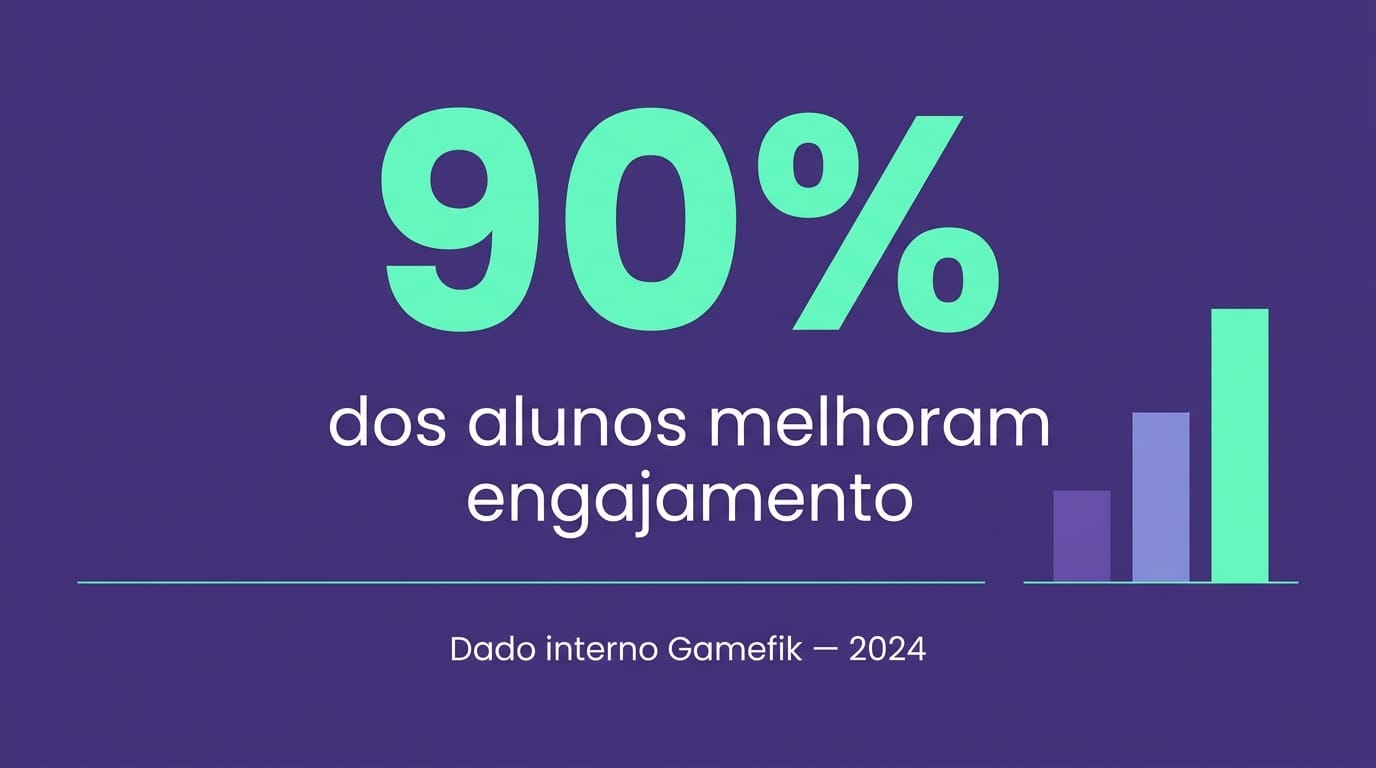
This is where the difference lies between using a text tool and having a pedagogical system. Gamefik works with 500+ schools validated in Brazil and LATAM and has impacted more than 100,000 students. Internal 2024 data shows that 90% of students in partner schools improve their engagement indicators — not because they read an AI-generated text, but because they began interacting with game mechanics applied to curriculum content.
To be transparent about what that figure means: "improvement in engagement" is measured by the platform as an increase in the frequency of voluntary interactions with proposed activities, participation in challenges, and task completion — comparing the first month of use with the third. It's not a direct learning metric, but it's a strong predictor. A student who interacts more with the content tends to learn more. The correlation is in the data, but causality depends on how the teacher uses the tool.
Implementation takes about 1 week on average. Teachers report saving 2 hours per week on activity management and tracking — time that can be reinvested precisely in the tasks generative AI can't reach: active listening to the student, conflict mediation, the eye that notices something has changed in a child's behavior.
A case that illustrates this complementarity well: an elementary school in Vancouver started using ChatGPT to create differentiated Math activities by level. The activities turned out excellent. But the teacher noticed that her weakest students still weren't doing them — not for lack of appropriate material, but for lack of motivation. When the school adopted Gamefik and integrated those same activities into a system of missions with points, leaderboards and symbolic rewards, task-completion rates rose from 40% to 78% in six weeks. The content was the same. What changed was the engagement mechanism.
If you already use ChatGPT for operational tasks and want to take the next step — turning engagement into measurable data and classroom dynamics — it's worth exploring the gamified school model that integrates AI, game mechanics and pedagogical tracking into a single flow. That's where the two ends meet: the efficiency of generative AI with the engagement that only an active pedagogical strategy can produce.
FAQ — Frequently asked questions about ChatGPT for teachers
Is there a ChatGPT for teachers?
Yes. OpenAI launched ChatGPT Edu in 2024, an institutional version with added privacy protections and access to GPT-4o. However, the free version of ChatGPT already handles most teaching needs — lesson planning, activity creation and feedback — as long as you write good prompts and set up custom instructions with your teaching context.
What is the best AI for teachers?
It depends on your needs. ChatGPT is the most versatile for text generation and varied materials. MagicSchool and Khanmigo are more turnkey for standards alignment without learning prompt-writing. Google Gemini integrates well with Google Classroom. For student engagement and progress tracking, platforms like Gamefik combine AI with gamification and deliver performance data that text tools don't offer.
How do teachers use ChatGPT?
Start by creating a free account at chat.openai.com. Set up custom instructions with your subject, grade level and context (public/private school). Use specific, detailed prompts — the more context you give, the better the response. Always review the generated content before using it with students, since ChatGPT can make factual errors.
Is MagicSchool free?
MagicSchool offers a free plan with limited features, including access to many of its teacher tools. More advanced features — unlimited generation, detailed reports and premium tools — require a paid subscription. Check the official site for current pricing, since plans change frequently.
Is it safe to use ChatGPT with student data?
Do not enter personally identifiable data of minors into ChatGPT. Laws like FERPA in the US, the UK GDPR and Canada's PIPEDA treat student data as sensitive. Always use generic identifiers ("Student A", "a 13-year-old student"). For more secure institutional use, ChatGPT Edu offers additional privacy controls, but your district should still conduct a legal review.
The next step is yours — and it starts with a prompt
You don't need to master artificial intelligence to use it well. You need a good prompt, 10 minutes, and the willingness to review the result. Start with one of the 15 prompts in this guide, apply it to a real class, and evaluate the outcome. The following week, move on to the next one.
After watching teachers across 500+ schools adopt AI tools, I can say one thing with confidence: the ones who advanced the most weren't the most tech-savvy. They were the ones who had clarity about what they wanted to solve — and used AI as a means, not an end. The prompt is just the beginning. What you do with the result is what determines whether the technology became an ally or a distraction.
And when you realize the content is ready but engagement is missing — that your materials are good but the class is still distracted — consider that the problem may not be what you teach, but how the student interacts with what you propose. That's what Gamefik exists for.
Discover Gamefik and see how to turn engagement into measurable results →