
The best free AI tools for teachers in 2025 are ChatGPT (GPT-4o), Claude, Gemini, Copilot, Perplexity, Curipod, Canva Magic, MagicSchool, Diffit, NotebookLM, Brisk, and Quizizz. All have functional free plans, but each hits a different cap: ChatGPT free allows roughly 10 messages on GPT-4o every 3 hours, and Claude free allows around 5–7 messages every 4 hours. Knowing exactly where each limit falls is what separates teachers who genuinely use AI from those who quit after the first roadblock.
The best free AI tools for teachers in 2025 are ChatGPT, Claude, Gemini, Copilot, Perplexity, Curipod, Canva Magic, MagicSchool, Diffit, NotebookLM, Brisk, and Quizizz. All have functional free plans, but each one hits a wall at a different point: ChatGPT allows roughly 10 messages on GPT-4o every 3 hours, and Claude allows around 5–7 messages every 4 hours. Knowing exactly where each cap falls is what separates teachers who genuinely use AI from those who quit after the first roadblock.
Have you ever opened ChatGPT in the middle of lesson planning on a Sunday night, only to get that "you've reached your limit" message? That's the blind spot in almost every article about free AI: they list tools, praise features, and disappear when it's time to explain when the free plan stops working. This article is different. We tested all 12 with real teachers from partner schools in our network and recorded exactly where each one stalls.
After more than 10 years bringing technology into K-12 classrooms, I've learned one thing that few people say out loud: the tool is almost never the problem. The problem is teachers discovering its limits the wrong way—mid-lesson, with 30 students waiting. That's why this article starts with the limits, not the features.
The 12 Free AI Tools for Teachers: What Each One Does and Where It Stalls
I've grouped the tools by function, because nobody uses AI "in general"—you use it to plan lessons, create activities, give feedback, or summarize materials. The numbers below are from tests conducted in September and October 2025; free plans change, so the date matters.
| Tool | Real Free Limit (Oct/2025) | When It Hits the Wall in Daily Use |
|---|---|---|
| ChatGPT (GPT-4o) | ~10 messages / 3h; then drops to 4o mini | Hits Tuesday/Sunday if you build an entire unit at once |
| Claude (Sonnet) | ~5–7 messages / 4h, varies with pasted text length | Stalls fast if you paste a full assignment for detailed feedback |
| Gemini | No strict numeric cap for text; limits on image | Rarely stalls for lesson planning |
| Microsoft Copilot | ~5 images/day on boost; text is fluid | Runs out when generating many images for slides |
| Perplexity | ~5 "Pro" searches / 4h; basic searches unlimited | Hits when researching sources back-to-back for a project |
| NotebookLM | Up to ~50 sources per notebook, generous usage | Almost never stalls; ideal for summarizing textbooks and curriculum guides |
| Curipod | ~Up to 60 activities/month on free | Runs out in week 3 if you create one per class per day |
| Canva Magic | ~50 Magic Write uses on free (total cap, not monthly) | Runs out quickly; it's a per-account cap, not a recurring one |
| MagicSchool | Most tools with daily limits per type | Hits when generating material for 5+ classes on the same day |
| Diffit | ~15–20 material generations / month | Runs out in ~2 weeks with daily use |
| Brisk Teaching | Chrome extension, generous free feedback tier | Limits appear on long curriculum generation |
| Quizizz | AI quiz creation limited per generation | Stalls when building large question banks |
Notice a pattern: pure-text tools (Gemini, Copilot, NotebookLM) hit the wall least often. The ones that hit a ceiling first are the most "magical" ones—image generation, ready-made activity packs, long-form essay feedback. That makes sense: processing a full student essay costs far more server resources than answering "give me 5 questions about photosynthesis."
Sarah Mitchell, a 9th grade Geography teacher at a Title I public school in rural Georgia, described the exact moment: "I use ChatGPT to plan my whole week on Sunday. By Tuesday, when I'm adjusting the 9th grade lesson, the GPT-4o cap is already gone and the responses get noticeably weaker. I learned to keep Gemini open in a separate tab just for those mid-week tweaks." That's the kind of detail that only shows up through real classroom use, not on a spec page.
An honest warning before you start testing: none of these caps are fixed. Companies change them without notice—Claude tightened and loosened its free limit twice in 2025 alone. In practice, what we see across schools is that teachers who depend on a single tool always end up at the mercy of the next policy change. That's why the focus here is on building a workflow with several tools, not committing to just one.
How to Combine Free AI Tools Without Hitting the Cap Every Week
The solution isn't subscribing to everything. It's building a workflow where each tool only does what it does best within its free limit. That's what worked for the teachers we followed.
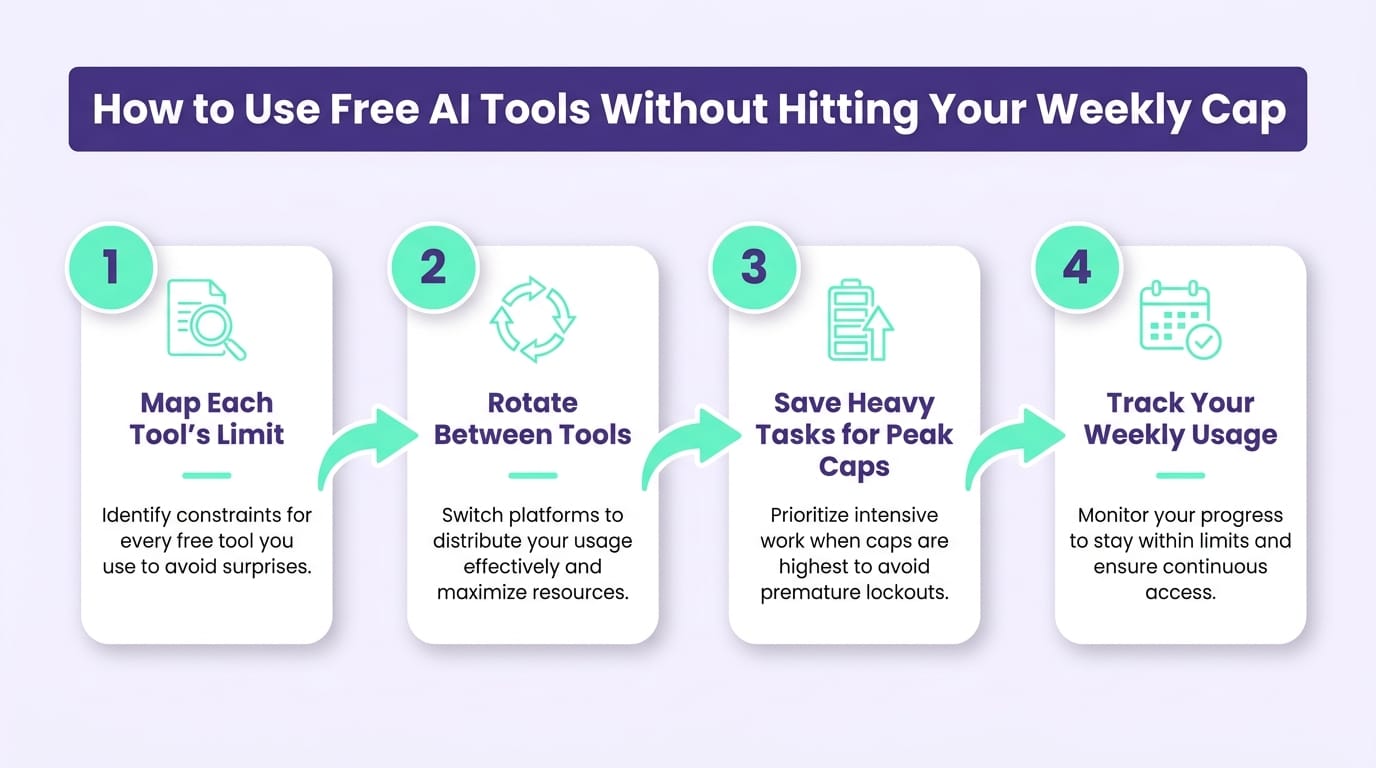
Step 1 — Use Gemini as your planning base. Because the free plan imposes no strict numeric cap on text, it handles the back-and-forth of building a lesson plan or K-12 unit. Save your free ChatGPT messages for when you need a more refined or nuanced response—the ~10 messages per 3-hour window on GPT-4o go further when you're not spending them on simple questions.
Step 2 — Separate activity creation from lesson planning. Instead of asking ChatGPT to do everything, send Diffit or MagicSchool to generate differentiated classroom materials. Since Diffit's free plan only allows ~15–20 generations per month, plan which classes actually need brand-new material that week. For everything else, adapt what you already have. If you want to go deeper on this, check out the guide on AI for creating classroom activities.
Step 3 — Batch your feedback into a single session. Claude free stalls at ~5–7 messages per 4-hour window and burns through fast when you paste long texts. So give feedback all at once, in sequence, within the same window—not scattered throughout the school day. Our AI-assisted writing feedback workflow details how to keep your professional judgment central while letting AI handle the heavy lifting.
Step 4 — Summarize dense materials in NotebookLM. A 40-page textbook chapter, a district curriculum framework, a state standards document: NotebookLM accepts up to ~50 sources per notebook without complaint. It's the tool that disrupts the daily workflow least.
James Okafor, a high school History teacher at a charter school in Austin, TX, described the turning point: "I thought I needed to pay for ChatGPT Plus. When I organized it this way—Gemini for planning, Diffit for activities, Claude only on Fridays for essay feedback—I stopped hitting walls. I haven't spent a dollar." The difference wasn't the tool. It was the workflow.
This four-step workflow didn't come from a manual. It came from watching, across our network of 500+ partner schools, which teachers sustained their AI use after the third month and which ones dropped off. The ones who dropped off almost always tried to do everything with a single tool. On average, we see this arrangement return roughly 2 hours per week of planning time to teachers—time that, in under-resourced public school districts, often means the difference between grading at home over the weekend or finishing it during prep.
How Gamefik Uses Free AI to Drive Student Engagement
AI tools generate content. They don't guarantee students will want to do the activity. That's the limit no free plan solves—and that's where gamification in education comes in.
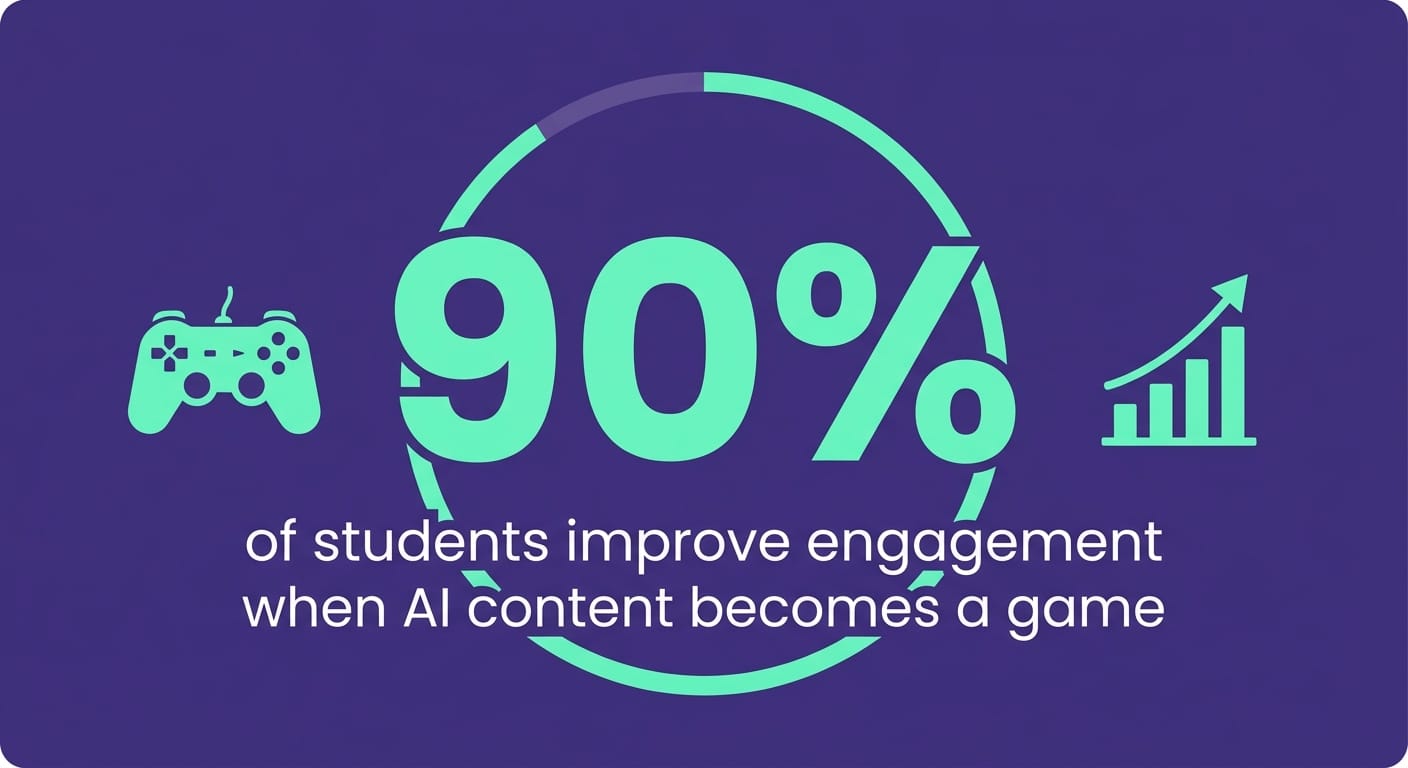
In our internal 2024 data, schools that combined AI-generated content with Gamefik's game layer recorded a 90% average improvement in student engagement. The reason is straightforward: AI gives you roughly two hours back per week in planning, and gamification transforms that material into something students actually want to submit. One doesn't replace the other—and I'm the first to say that AI without a clear purpose for student use just produces polished materials that nobody opens.
This isn't a lab number. Today it's 500+ partner schools validated in Brazil and LATAM and more than 100,000 students inside the platform—public and private, from rural districts to urban centers. That's the universe where we collected the stories in this article. Emily Chen, a 6th and 7th grade Science teacher at a public school district in suburban Illinois, described how it clicked: "I was generating quizzes in Quizizz for free, but students were just going through the motions. When the same quiz became a points-based challenge inside the platform, students started asking to redo it to climb the leaderboard." The AI created the content in minutes. The gamified school model made it worth doing for the students.
To be honest: this doesn't work the same way in every classroom. In evening high school classes, for example, public leaderboards can create pressure more than motivation, and we switch to individual progress goals instead. The prerequisite is the teacher knowing their own students—the platform provides the structure, not the room-reading. Implementation takes about one week—you don't need to pause the school year to get started. And the planning time saved through AI (those 2 hours/week) pairs naturally with the ready-built student engagement strategies the platform already delivers.
FAQ
Which free AI tool has no daily limit for teachers? In practical use, Gemini (free) and Microsoft Copilot are the least restrictive for text: they don't publish a strict numeric cap for normal use, unlike ChatGPT free (10 messages/3h on GPT-4o) and Claude free (5–7 messages/4h). For continuous lesson planning, use Gemini as your base and ChatGPT as a backup.
Can free ChatGPT handle daily lesson planning? Yes, with caveats. Free ChatGPT gives limited access to GPT-4o (roughly 10 messages every 3 hours, as of Oct 2025); once exceeded, it drops to GPT-4o mini. For planning one to two lessons per day it works well. Teachers who build entire weekly units in one sitting hit the cap and need to rotate. The ChatGPT for teachers guide includes prompts that help you get more out of fewer messages.
Is there a free AI tool that creates student activities and worksheets? Yes. MagicSchool, Diffit, and Curipod generate classroom-ready materials—including differentiated assignments aligned to Common Core and state standards—and have generous free tiers for individual teachers. Diffit's free plan gives ~15–20 generations per month; MagicSchool unlocks most tools with a daily limit per type. For multiple classes every day, these plans run out within a few weeks. See the full AI tools for education comparison.
Start With What You Already Have for Free
You don't need to pay for anything to put AI to work in your classroom—you need a workflow that respects each free plan's limits. But great content only pays off when students care enough to engage with it. That's where artificial intelligence for teachers meets gamification. Visit gamefik.com to see how 500+ schools are combining both—and implement it in your classroom in about one week.