
Yes, Teachy has a free plan — but it comes with a monthly generation cap and locked features. You can create activities and lesson plans at no cost, but downloading as PDF, editing ready-made slides, and accessing advanced templates require a paid subscription starting at around $6/month (billed annually). For occasional use, the free tier works; for teachers planning lessons every week across multiple classes, it runs out fast.
If you landed here by searching "is Teachy free," you've probably already tested the tool and hit a limit — or you're evaluating whether it's worth your time before spending your money. This guide answers exactly that, with the numbers most comparison articles leave out.
Does Teachy Have a Free Plan? How It Works in Practice
Teachy is an AI-powered platform for creating instructional materials: lesson plans, activities, assessments, slides, and summaries aligned to K-12 curriculum standards — including Common Core and state-level standards. It's built for K-12 teachers who want to cut down on prep time. The core promise: turn hours of lesson planning into minutes.
The free plan exists and requires no credit card to get started. You sign up, select your grade level and subject area, describe what you need, and the AI generates the material. Straightforward enough.
What most reviews never spell out is the cap. In practice, Teachy's free plan operates with a monthly generation limit in the range of 10 to 15 creations per month, depending on active promotions. The company doesn't publish a fixed, permanent number on its pricing page — the figure shifts with internal testing and promotional campaigns. Be realistic: treat the free tier as "a few generations per month" — enough to evaluate the tool, not enough to support a full teaching workload.
Here's a scenario that plays out constantly: a 9th-grade math teacher with four class periods needs at least one test, two practice worksheets, and a lesson plan per week. That's 12 to 16 materials per month — for one teacher alone. Teachy's free cap disappears by week two. Across the 500+ schools validated in Brazil and LATAM that Gamefik works with, this pattern is consistent: teachers carrying a full load exhaust any free tier fast.
For comparison, MagicSchool (a direct US-based competitor) unlocks several dozen generations per month on its free tier, and Quizlet allows practically unlimited study set creation on the free version. Teachy's free cap is tighter than the market average.
What You Can Use for Free — and What Gets Locked
It's worth separating what the free plan actually delivers from what it blocks, because that line is where most frustration lives.
On the free plan, you can:
- Generate activities and lesson plans within the monthly cap
- View the full generated material on screen
- Adjust your prompt and regenerate within the limit
- Manually copy the text into another document
On the free plan, you cannot:
- Download materials as a formatted PDF or Word file
- Directly edit activities and ready-made slides in-platform
- Access advanced assessment and answer key templates
- Generate beyond the monthly cap (the button simply stops responding until the month resets)
That's the real bottleneck. Many teachers report generating a solid lesson plan on the free tier, only to find they can't download it as a PDF to print or share with students — so they end up copying and pasting everything by hand, which eats up exactly the time the tool promised to save.
In practice, the locked PDF download is what frustrates teachers most. The genuine time savings observed across the schools Gamefik works with runs around 2 hours per week per teacher — but only when the workflow is complete: generate, download, print, teach. Break that workflow at the manual copy-paste step and the AI's value largely disappears. Don't underestimate this detail when making your decision.
How Much Does Teachy Cost on Paid Plans?
Here are the numbers the headline promised — and that most comparison posts quietly bury.
Teachy runs on a subscription model, and pricing varies with promotions. On the annual billing cycle, the paid plan works out to approximately $6–$7/month for international subscribers (roughly $70–$85/year). On a month-to-month basis, the price rises to around $10–$12/month. The gap between monthly and annual billing can reach nearly 40% — if you decide to subscribe, the annual option delivers meaningful savings.
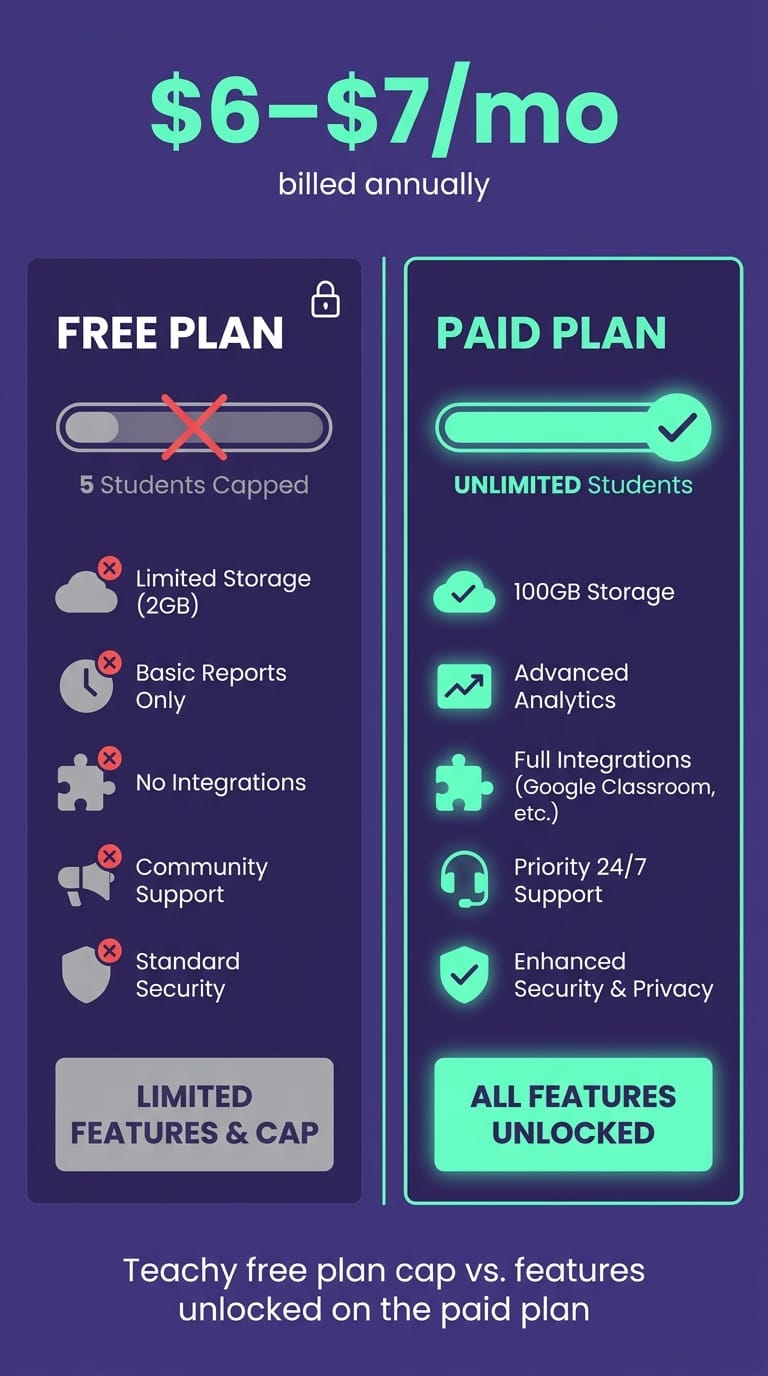
What the subscription unlocks: a substantially larger — or unlimited, depending on the tier — generation allowance, PDF downloads, full in-platform editing, and advanced assessment templates. If you use Teachy as a core part of your weekly planning, the cost-per-hour-saved tends to justify itself. Run the numbers: if the tool returns 2 hours per week, that's 8 hours per month. At $7/month, your reclaimed hour costs less than $1 — well below any substitute teacher or tutoring rate. For a teacher with a full schedule, this is one of the few EdTech expenses with a clear, calculable return. If you use it once or twice a month, the free tier is plenty and there's no reason to pay.
One honest caveat: since Teachy doesn't publicly fix all cap numbers and prices, always confirm on the official website before subscribing. International pricing in USD, GBP, and CAD may differ from the base rates. The figures above are observed reference ranges, not an official price table.
How to Create a Free Teachy Account (Step by Step)
Testing before committing is the sensible move. Sign-up takes under two minutes.
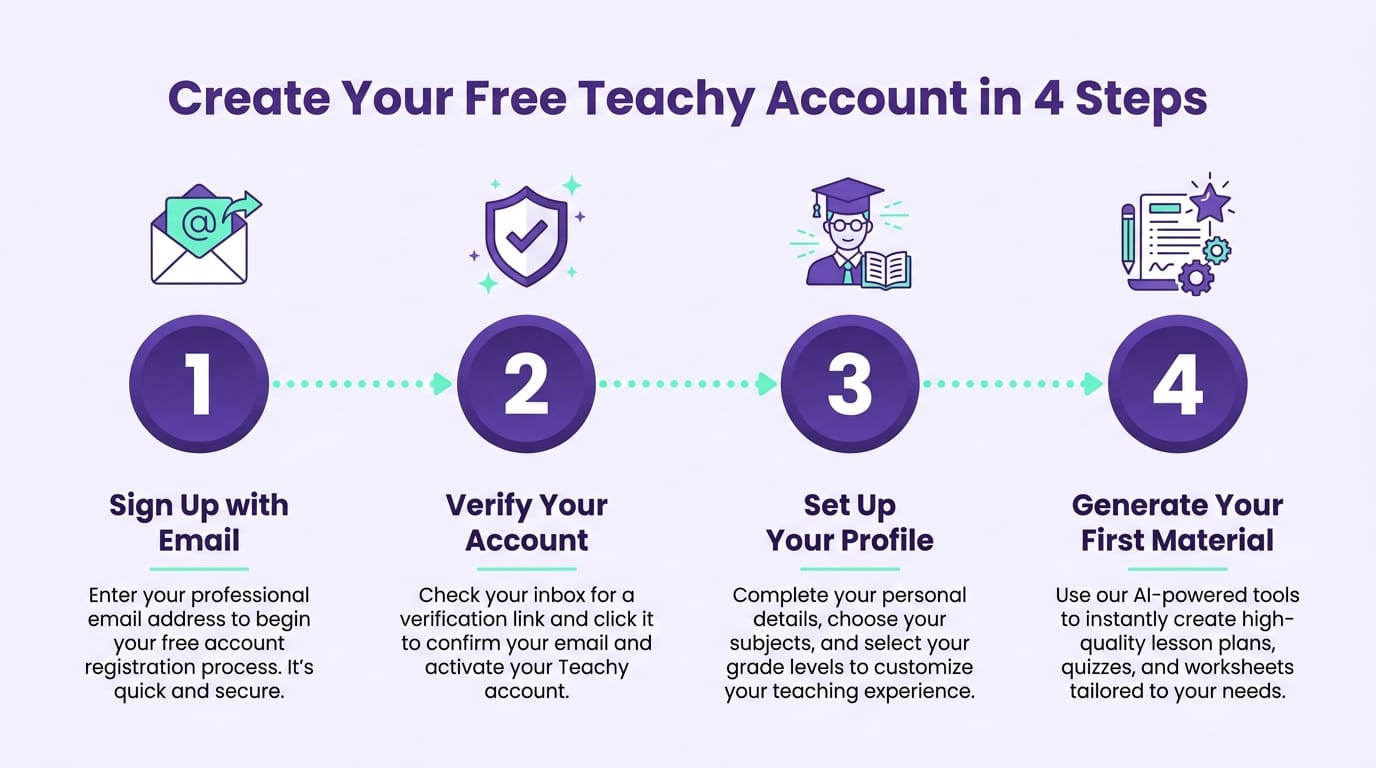
- Go to the Teachy website and click "Create Account" or "Get Started Free." You can sign in with a Google account, which skips creating a separate password.
- Set up your teacher profile: enter the grade levels and subject areas you teach. This calibrates the AI to generate material aligned to your context — Common Core, state standards, or provincial curricula for Canadian teachers.
- Choose your material type — lesson plan, activity, assessment, or slides — and describe the topic in the prompt field. The more specific your prompt, the better the output.
- Generate and review. The material appears on screen within seconds. This is where you'll immediately sense whether the free cap fits your volume — or will run out within days.
One piece of advice from observing hundreds of teachers get started: use your first free generations to test your hardest case, not your easiest. Ask for material on the most difficult unit to plan — the content your students consistently struggle with. If the AI handles that well, the rest is straightforward. Burning your test cap on simple content tells you nothing useful.
If AI tools for lesson creation are new to you, start with our guide on AI for Teachers, which covers how to write prompts that produce usable material on the first try — preserving your monthly cap on any free platform.
Free Alternatives to Teachy for K-12 Teachers
Teachy isn't the only option. If the cap has run out or the PDF download is blocked, here's what the market offers. I've compared four tools by what actually matters to teachers: what the free plan delivers and what paid plans cost.
| Tool | Free Plan | Limit/Cap | Paid Plan |
|---|---|---|---|
| Teachy | Yes | ~10–15 generations/month, no PDF download | From ~$6/month (billed annually) |
| Gamefik | Yes (free forever) | 2 classes, up to 30 students, 200 AI credits/month | From $7.99/month (Teacher Epic) |
| MagicSchool | Yes | Several dozen generations/month — more generous | From ~$8/month |
| Genially | Yes | Unlimited creations with watermark | From ~$9/month |
| Quizlet | Yes | Unlimited study sets | From ~$8/month |
UK and Canadian educators: check each platform's local pricing page, as GBP and CAD rates may differ from the USD figures above.
MagicSchool is Teachy's most direct competitor for AI-generated instructional content, and its free cap tends to be more generous — a strong option if your main frustration with Teachy was hitting the monthly limit. As a US-based platform, it's also better calibrated by default to Common Core and state standards.
Genially excels at visual and interactive content. The free plan allows unlimited creations but adds a watermark and restricts some export formats — acceptable for in-class display, less so for printed handouts.
Quizlet handles the review and memorization side of learning with flashcards and quizzes. Its free plan is among the most complete on the market for that specific function.
Also worth mentioning: Canva for Education (free for verified educators) and Socrative (strong for quick formative assessments during class). No single tool covers everything — most teachers end up combining two or three. At a dual-language K-12 school in California that Gamefik works with, the setup that stuck was Teachy's paid plan for core material, Genially for presentation visuals, and Quizlet for review — three subscriptions totaling less than one professional development workshop registration. For the full picture, we've rounded up 12 options in our guide to AI tools for education.
So Where Does Gamefik Fit Into This Comparison?
Teachy and MagicSchool solve a specific problem: creating the material. You describe the topic, the AI generates the quiz, the lesson plan, or the slide deck, and the teacher saves the time it would take to build it from scratch. That's a real gain — but it only covers the first half of what happens in the classroom.
Gamefik tackles the next problem, the one that shows up after the material is already done: the student gets a well-made activity and stays disengaged anyway. The platform combines gamification with artificial intelligence — missions, points, learning paths — built to be adopted school-wide, not just by one teacher working alone. On the free plan (Gamefik Free), you can already run gamified activities for up to 30 students with 200 AI credits a month; the paid tiers unlock unlimited classes and AI.
If you're looking for a Teachy alternative because you hit the generation cap, you're treating a symptom. If you're looking for engagement, you're addressing the cause. It's worth a look at Gamefik's AI for teachers.
Is Teachy's Free Plan Worth It — or Should You Pay?
The honest answer depends on your workload. If you create materials occasionally and don't mind copying text manually, the free plan works — use the cap, get value, don't pay. If you're planning lessons every week for multiple classes, the cap runs out fast and the missing PDF download becomes a bigger time cost than the monthly subscription.
There's another point worth being direct about — and here I'll push back against most of the sales messaging around these tools: paying for an AI platform speeds up material creation, but it doesn't guarantee your students will engage with what you've made. I've seen entire districts adopt AI planning tools, generate impeccable materials, and still face the same disengaged classes as before. Automated generation solves the planning problem; engagement in the classroom depends on methodology. That's where the logic shifts — pairing well-made material with gamification in education turns an ordinary activity into something students actively want to complete.
That's exactly what Gamefik observed across 500+ schools validated in Brazil and LATAM: when materials are delivered within a gamified learning structure, results show up in classroom behavior — 90% of students improve their engagement in those schools, according to our 2024 internal data, covering more than 100,000 students tracked. At a Title I middle school in rural Texas that Gamefik partners with, teachers kept generating activities using the same AI tools they already knew — we didn't replace their workflow. We changed what happened after the material reached the classroom. The point isn't the AI that creates the worksheet; it's the method that makes students want to complete it.
Frequently Asked Questions About Teachy's Free Plan
How much does Teachy cost for teachers? Teachy's paid plan starts at approximately $6–$7/month billed annually (roughly $70–$85/year for international subscribers). Month-to-month pricing runs closer to $10–$12/month. Prices vary by region — always confirm on the official Teachy website before subscribing. UK and Canadian educators should check for local GBP and CAD rates.
What is the best free AI tool for K-12 teachers? It depends on the task. For generating lesson plans and activities, both Teachy and MagicSchool work well on their free tiers — MagicSchool generally offers a more generous monthly cap and defaults well to US and Common Core standards. For quizzes, Quizlet and Socrative are strong free options; for visual materials, Genially's free plan is hard to beat. Most teachers find that combining two tools covers the full workflow.
Which apps are completely free for teachers? Google Classroom, Quizlet, Socrative, Canva for Education (free for verified educators), Genially, and the free tiers of both Teachy and MagicSchool cover most classroom tasks at no cost — subject to generation caps or watermarks. Many school districts also have institutional agreements that unlock premium features at no cost to individual teachers, so check with your district's EdTech coordinator first.
Test the Method Before You Pick the Tool
Before deciding between Teachy's free plan, its paid tier, or an alternative, it's worth understanding how instructional materials and student engagement connect in practice. Explore the gamified school model from Gamefik and see how any activity — AI-generated or not — can become something your students actively want to engage with. Implementation takes less than a week and doesn't require replacing the tools your teachers already use. Visit gamefik.com to schedule a demo.